
You want to keep track of what you spend, and you would rather write it down yourself than let a bank feed do it. The next question is where: a budget spreadsheet you build yourself, or an app on your phone. People who track by hand are genuinely split on this one.
We make an app, so you already know which way we lean. The spreadsheet still deserves a fair comparison. It taught most of us to track in the first place, and for plenty of people it is still the right answer.
Here is what each one is better at, and the one place where the choice really gets made. Either way you are still writing every purchase down yourself, which is the part that does the real work.
Where the spreadsheet is genuinely great
Total control. Every column, formula, and chart is yours. If you want to track cost-per-wear on a pair of shoes, or spread the cost of your holiday across 11 months, nothing stops you. An app gives you its way of seeing money. A spreadsheet gives you an empty page.
Free, and it outlives everything. No subscription, no company that can shut down, no pricing page. A CSV from 2009 still opens today and will still open in 2040.
You don't have to trust anyone. The file sits in your drive. There's no privacy policy to read, because nobody else is involved.
Building it teaches you the numbers. Writing your own budget formulas shows you how the figures relate to each other: SUM by category is a small financial education in itself.
So if you like formulas, you have a steady routine, and you enjoy keeping it up: keep the spreadsheet. It is working.
Where the spreadsheet quietly breaks
The spreadsheet's weak spots are all in one place: the moment you type the purchase in. That is the moment manual tracking either keeps going or stops.
The purchase happens at a market stall on Tuesday at 6:40 pm. Where is the spreadsheet? On a laptop, waiting for later. Later is where entries get lost, and most people who have tried this know the Sunday evening spent trying to remember what a whole week cost. A phone app lets you record the purchase while you are still standing there: 5 seconds, done, while you still remember it exactly.
Everything else runs on you as well. Rent doesn't enter itself every month, categories don't total across sheets unless you build that, and nothing carries last month's leftovers forward on its own. None of it is difficult. It is just a job you have to keep doing, every month, forever, and most spreadsheets get abandoned because nobody kept them up, not because anyone stopped believing in them.
Spreadsheets also break without telling you. One dragged formula, one sort that left the headers behind, and March is wrong in a way you find out about in June. Nothing is checking that a transfer left one account and arrived in the other, or that the same money isn't counted twice.
And a spreadsheet doesn't know what any of it means. It stores numbers. It doesn't know when your credit card is due, it can't tell a transfer from spending, and it has no idea what a month of your essentials costs you. Whatever the numbers mean, you have to work it out again in your head, every time.
That last gap is the one Wealth Mutant was built to close, as a personal finance app for people who track by hand. You still type every purchase in yourself, in seconds, with no bank linking, and then the app does the parts you were doing by hand: the cards, the loans, the monthly bills, the totals.
Ready to take control?
See your budgets, cards, loans and net worth in one place. One payment, yours for life.
Buy — $99 onceSo which one should you use?
Underneath all the arguing, the two tools split along one line:
Do
- Use a spreadsheet when building it is the point: your own analysis, one-off planning, the joy of making it work.
- Use an app when the habit is the point: seconds to type in, anywhere, with the math done for you.
- Judge either tool by one question: are you still recording, without effort, in month 6?
Don't
- Confuse loving the spreadsheet with keeping it up; check when a formula was last updated.
- Accept an app that is slower than typing a spreadsheet row; how fast that one moment is decides everything else.
- Rebuild by hand what software should just get right: transfers that match on both sides, budget leftovers carrying forward, card statement cycles, bills that repeat.
A spreadsheet is better at the desk, where you can build anything you like. An app is better in the 6 seconds you spend at the stall, paying. That second moment is where manual tracking is won or lost.
What we built
Our personal finance app rests on one decision: you type in the purchases yourself, and the app does everything else.
You enter an amount and pick a category, and the things you buy every week fill in from a bookmark in 2 taps. From there it handles the jobs your spreadsheet used to hand back to you. Recurring entries post themselves, and budgets carry last month's leftovers forward if you want them to. A transfer always comes out of one account and into the other. Cards and loans keep their own running totals, and your net worth (what you own minus what you owe) is built out of what you entered rather than out of your estimates.
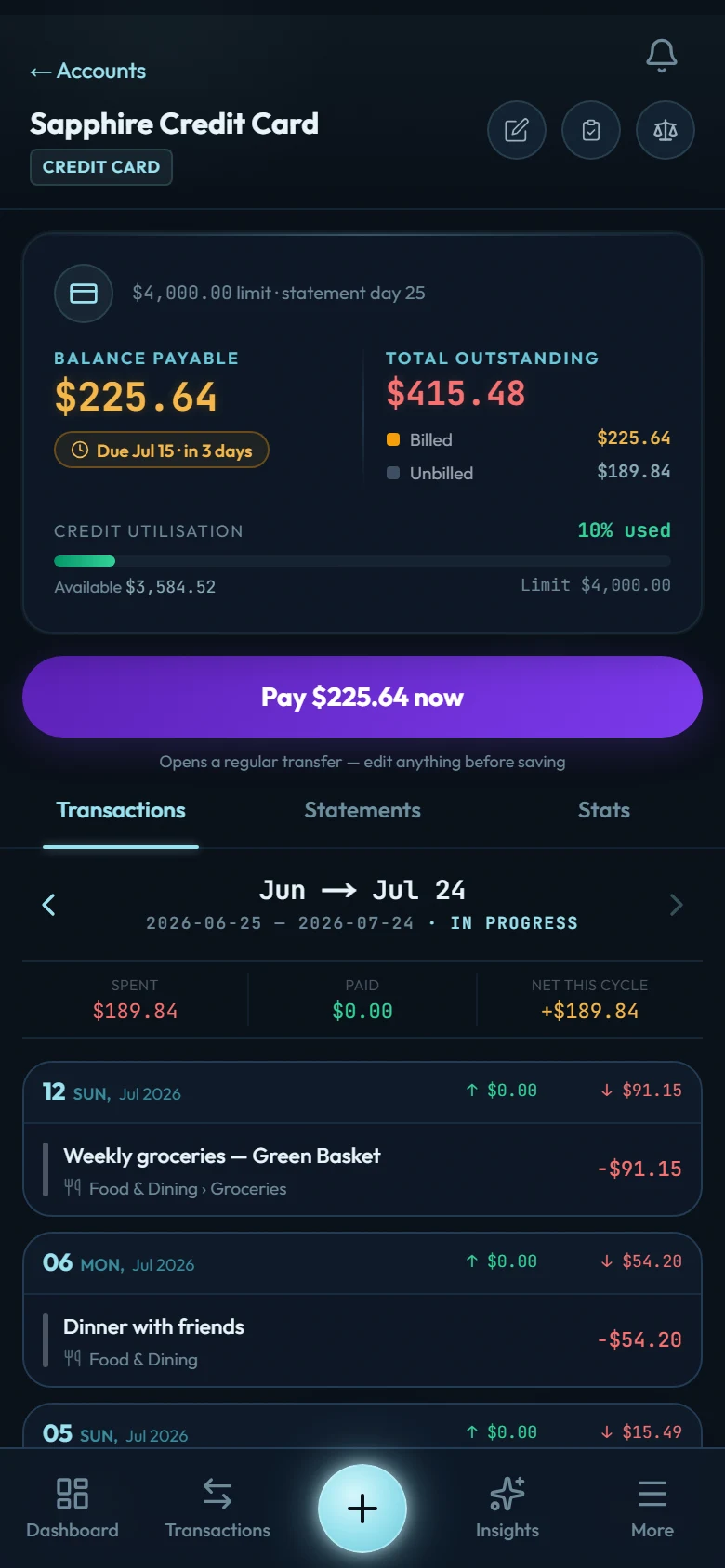
Cards and loans are the two things a spreadsheet models worst, so they are worth spelling out. A credit card account keeps two piles apart. What you have spent since the last bill was sent sits under this cycle.
What you have already been billed for and not yet paid sits under payable, dated by the oldest unpaid bill, so an older bill you haven't finished paying shows up instead of hiding behind a newer one. Paying that bill is a transfer, not a new expense: the purchase already counted as spending on the day you swiped it, and it counts once. If the cycle itself is new to you, we explain how a card's billing cycle works with real dates.
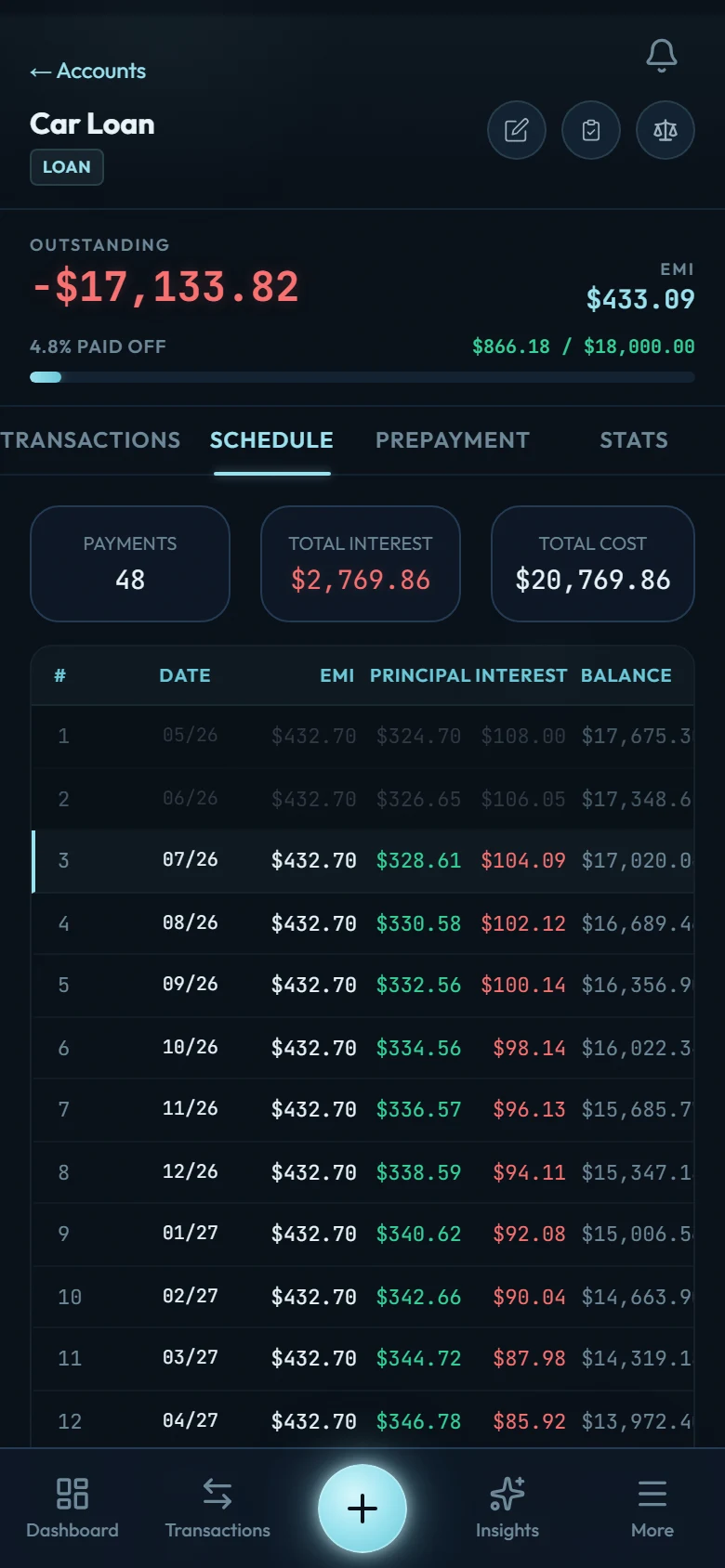
Loans come in two shapes. Give one a rate and a payment day, and each month's interest posts onto the balance by itself — you can see it in the loan's history as an entry you never typed. Leave those out and it stays a plain balance that moves only when you record a payment.
Either way, what you owe is what you started with, plus the interest that has posted, minus what you have paid in. There is no payment schedule to build by hand.
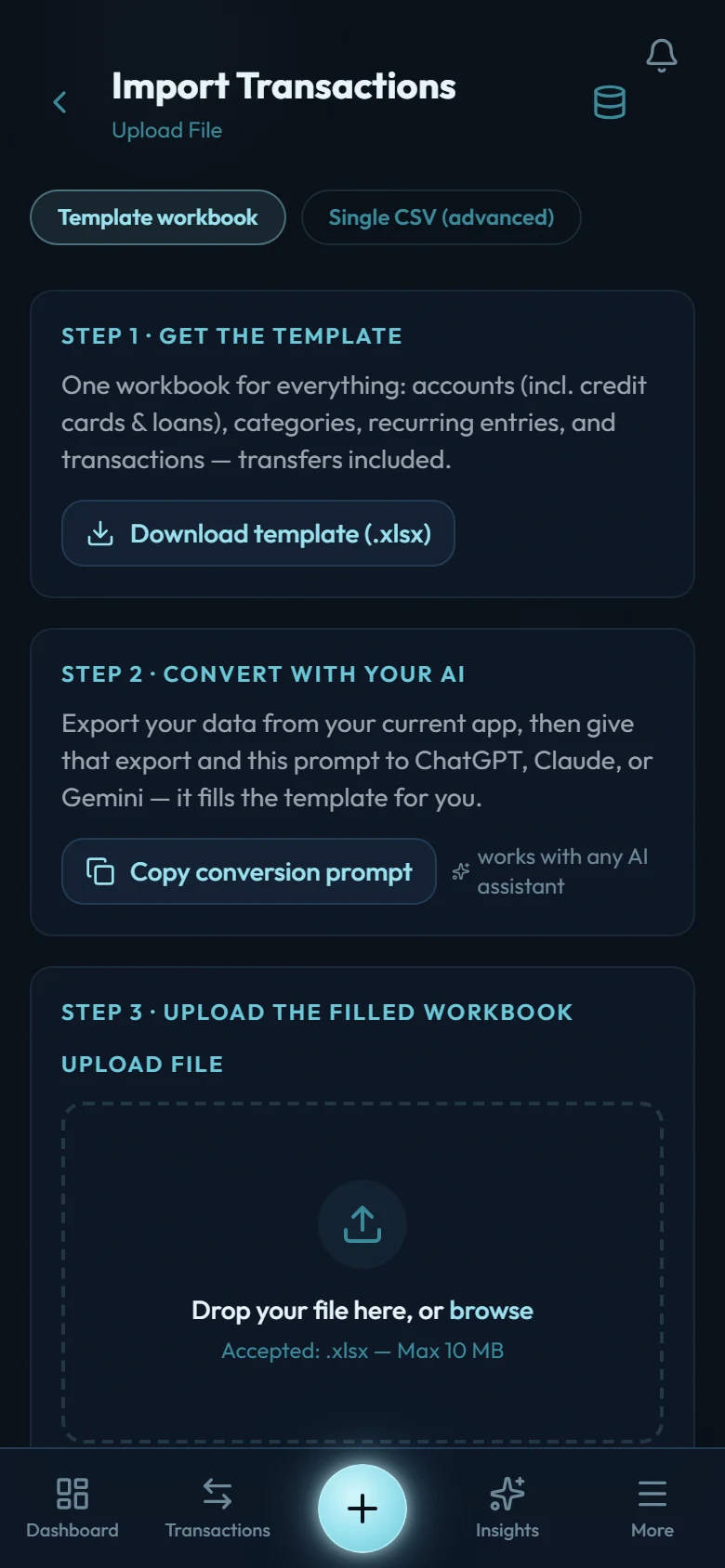
And because a lot of us came from spreadsheets, it works in both directions. Your history comes in from the template workbook, and everything goes back out as CSV or a ZIP whenever you want, so you can leave with everything you put in. See the whole thing, or compare Wealth Mutant and a spreadsheet, feature by feature.
Both tools respect the same idea: you write it down yourself. One of them then asks you to do all the rest of the work as well. The other asks you for the 5 seconds that matter and does the rest itself.
So pick the one you will still be keeping up in 6 months. If that turns out to be ours, the first move is to bring your history across in one pass with the template workbook, and by the end of that evening you are looking at your own numbers rather than an empty app. And since "free forever" is the spreadsheet's best argument: you pay for ours once, not every month.