See Wealth Mutant in action.
Every major surface, explained. No sign-up required to look around — see exactly what you’re getting before you commit.
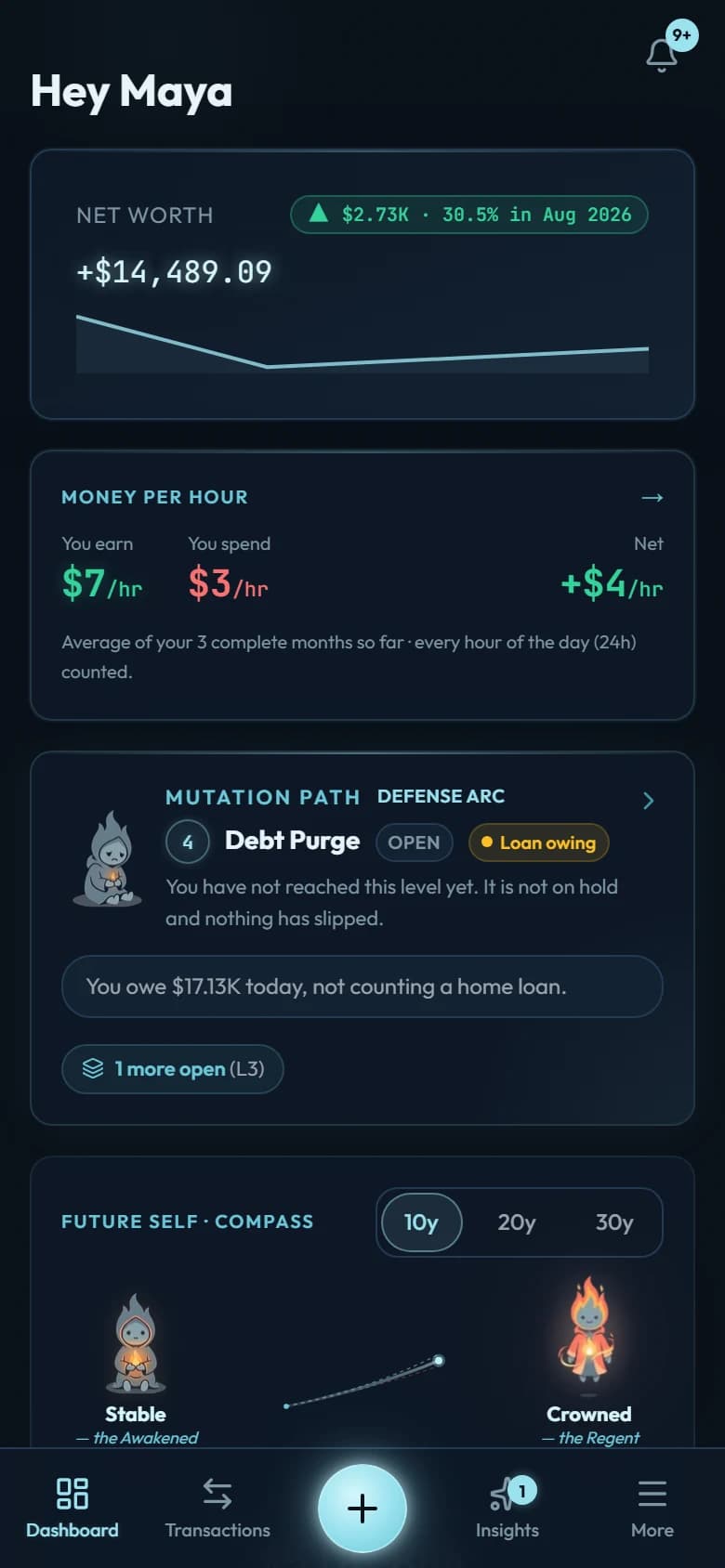
01 · Dashboard
One screen, and you know where you stand.
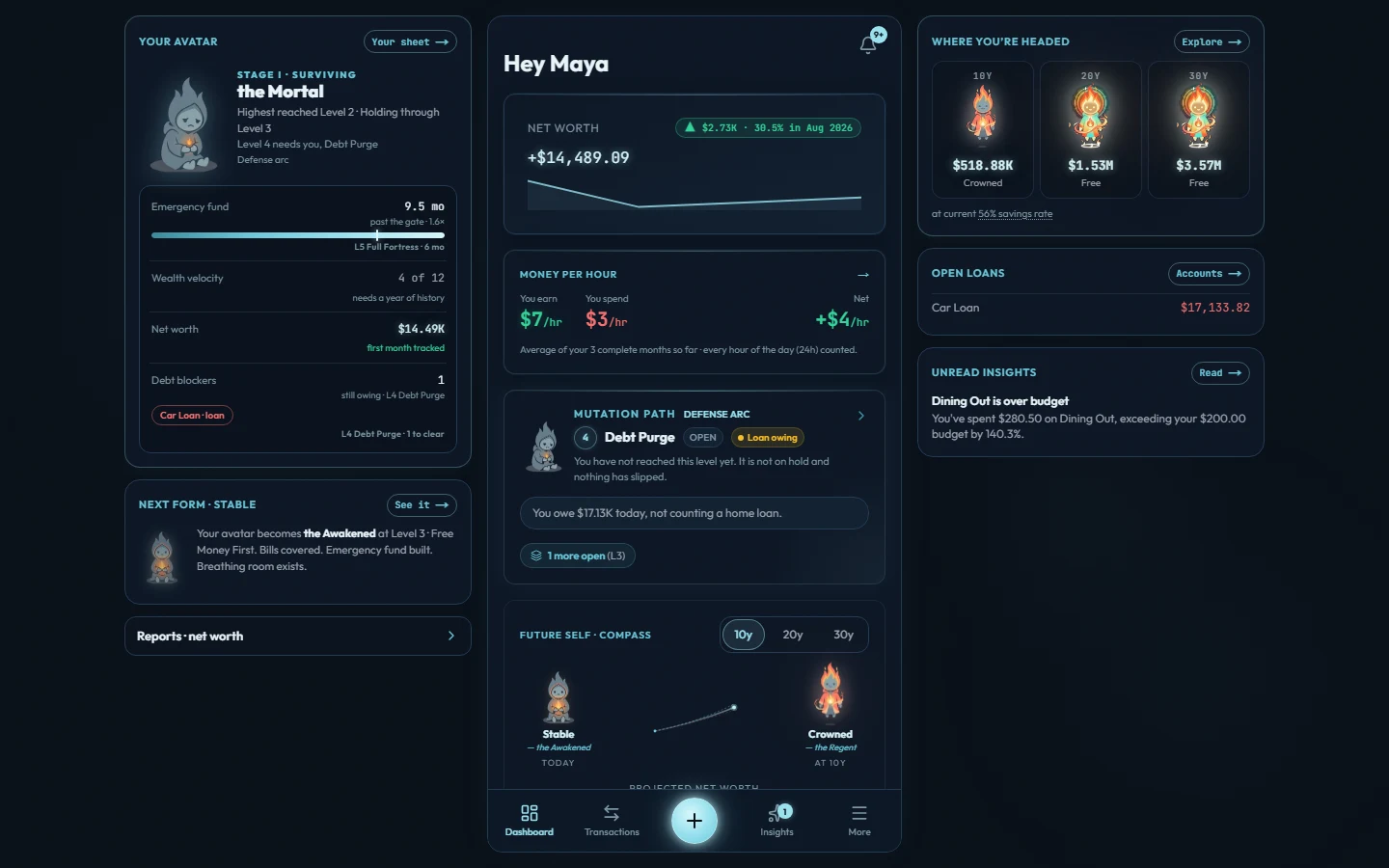
Net worth at the top, then what an hour of your life is worth, then the level you are on and the one you are climbing toward. Under that, your future self at ten, twenty and thirty years. It answers the only two questions that matter in the morning: am I okay, and what do I do next?
Four cards. Nothing to configure to get there.
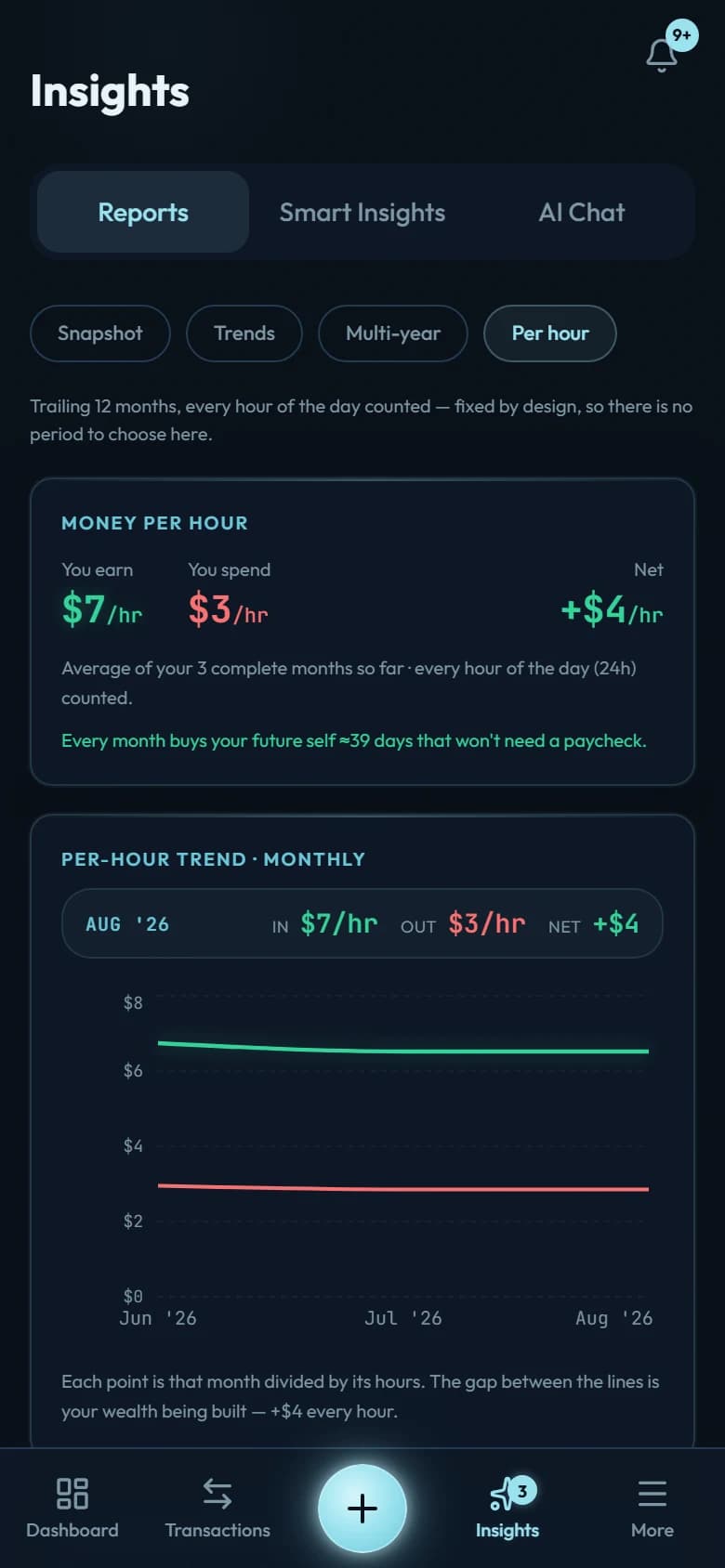
02 · Your money, per hour
Find out what an hour of your life is worth.
The app takes what you earn and what you spend and divides both by every hour of the month, sleeping hours included. Here that is $7 an hour coming in, $3 going out, $4 kept — and at that rate each month buys about 41 days your future self will not need a paycheck for. Joe Dominguez and Vicki Robin’s book Your Money or Your Life taught people to price a purchase in hours of their life; ours is a different clock, and we are not affiliated with the authors.
Needs three complete months before it shows you anything.
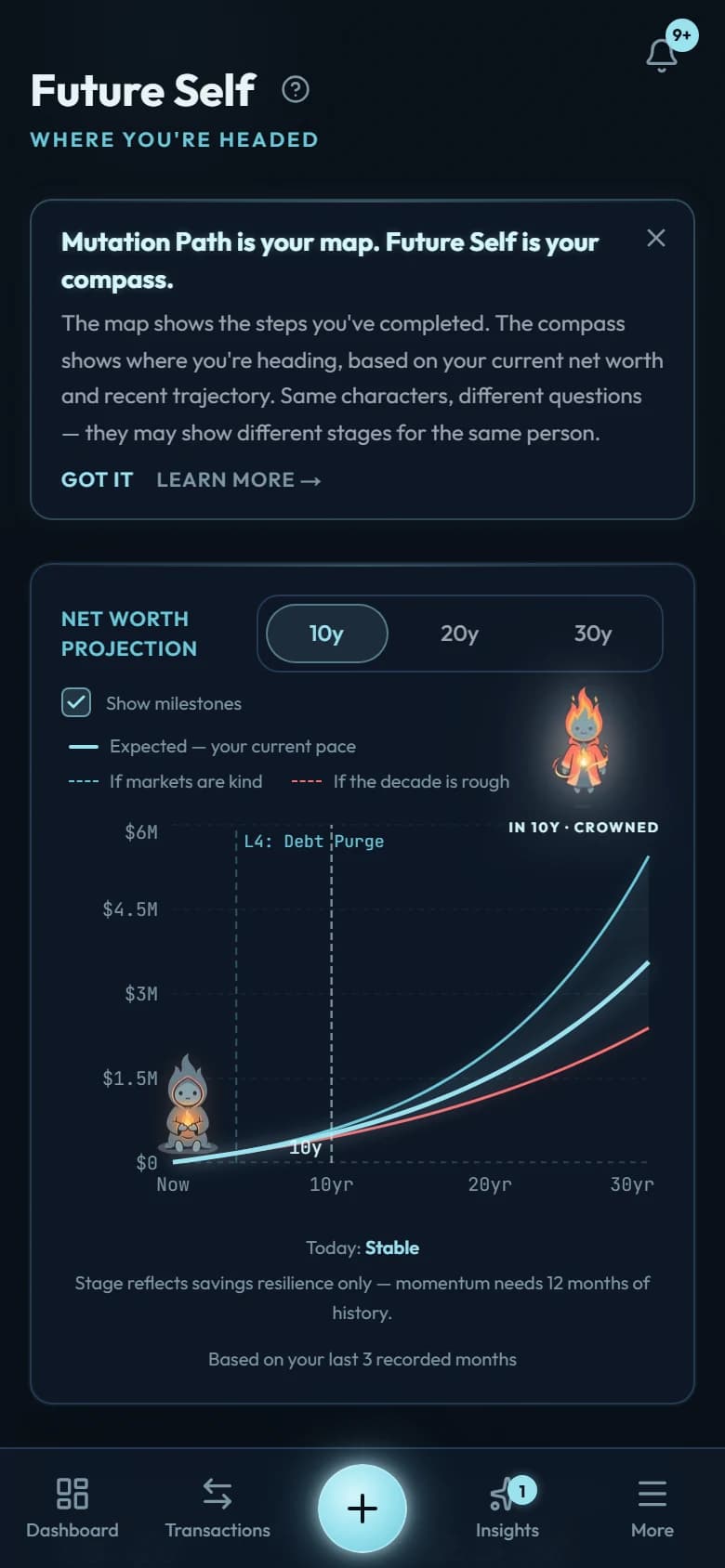
03 · Future Self
See the curve your money is already on.
After three complete months the app projects your net worth ten, twenty and thirty years out, with a kind decade and a rough one drawn either side of the line it expects. Markers on the chart show roughly when you would reach your three nearest upcoming milestones, and where there is not enough history the app says so instead of guessing.
Two bands, because nobody knows which decade you get.
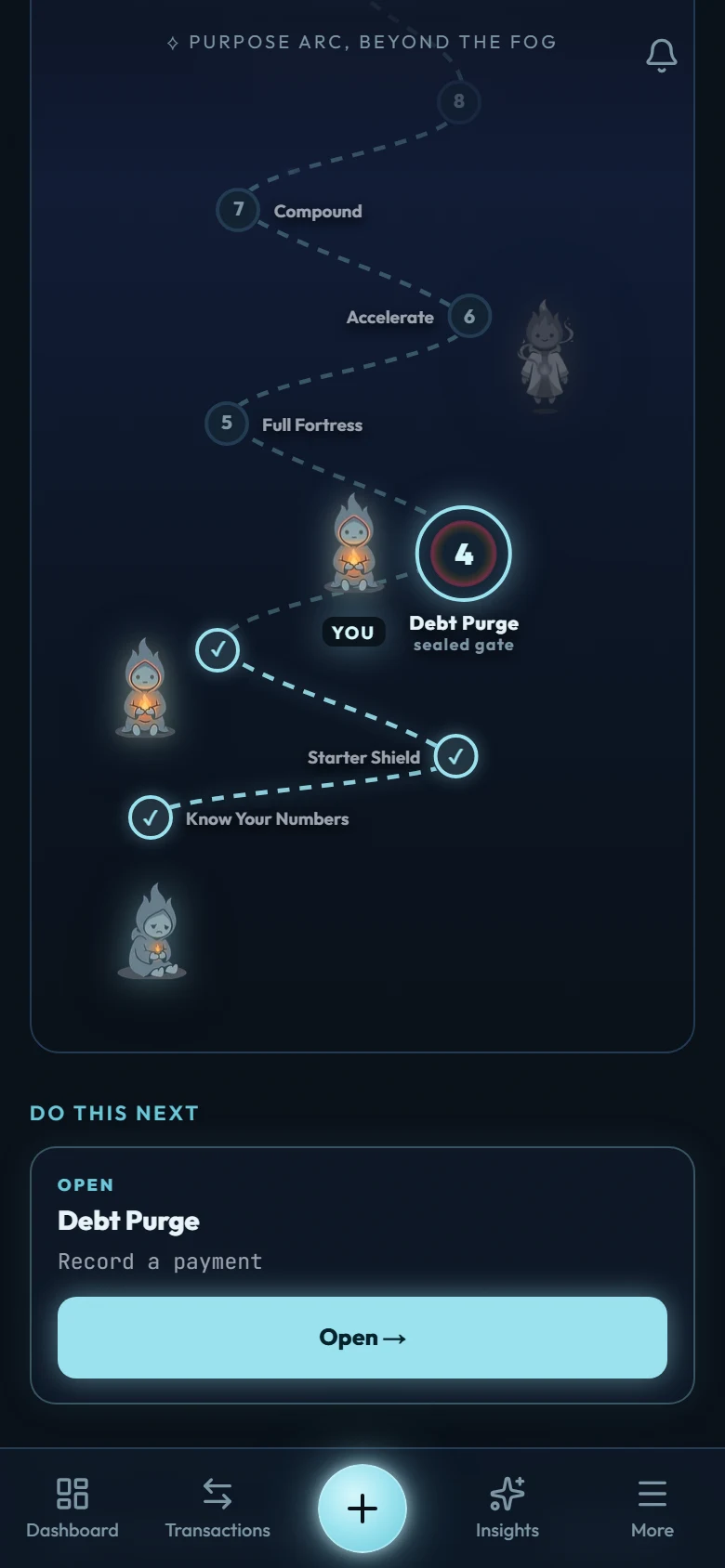
04 · The Mutation Path
Nine levels, and you climb by doing.
Level 1 is knowing your numbers. Level 9 is not needing the paycheck. The app watches your accounts and decides when you have actually cleared a gate, so a level is something you earned rather than something you ticked. Three arcs run through it: Defense, Offense, Purpose.
A sealed gate stays sealed until your numbers say otherwise.
05 · On a bigger screen
On a laptop it opens out.
From 1,100 pixels — a laptop, or an 11-inch tablet turned sideways — the same screen grows a rail on each side. Your avatar, the gates you have cleared and your active quest sit on the left. Your ten-, twenty- and thirty-year forms, your open loans and this week’s insights sit on the right. Nothing is invented for the wide layout: every number a rail prints comes from the same function the phone already used.
Below 1,100 pixels the rails are not hidden — they are not built.
06 · Debt, modelled properly
Debt with the real numbers behind it.
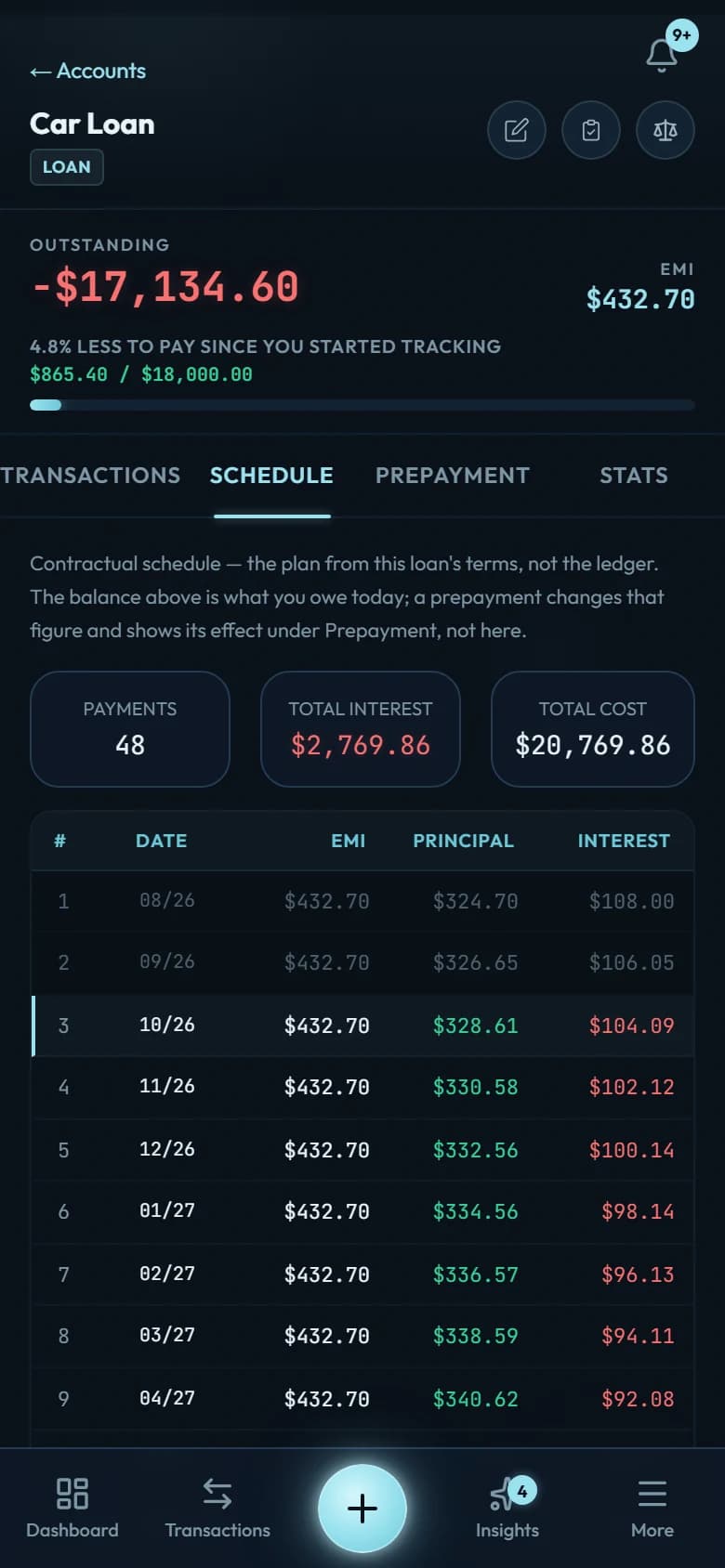
Every loan gets a full amortisation schedule: what each payment costs you in interest, what it takes off the principal, and what is left. The prepayment tab answers the question your bank will not, which is what one extra payment a month actually saves you. Credit cards run on their own statement cycle, so billed and unbilled stay separate numbers.
48 rows, $2,769.86 of interest, all of it on screen.
07 · Budgets & goals
A budget that prices the habit.
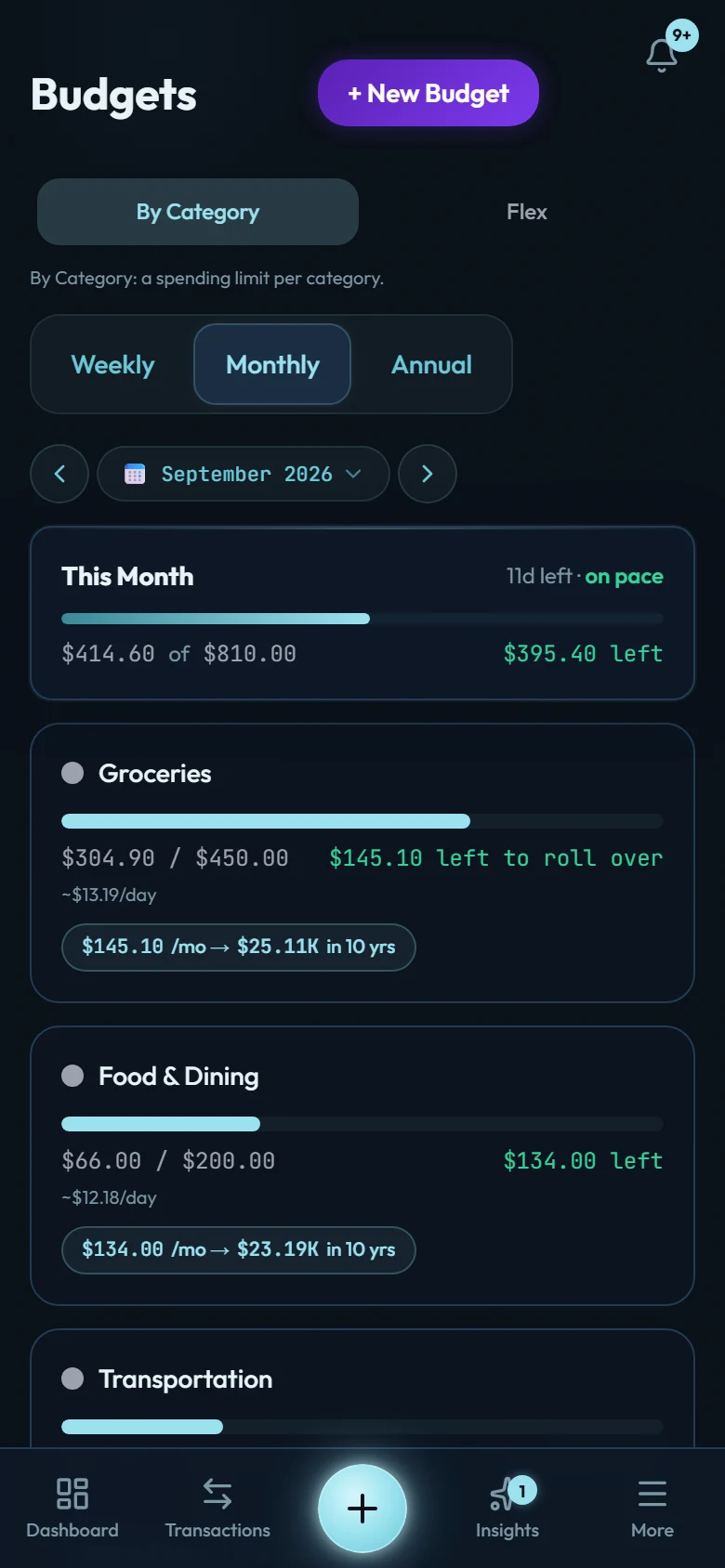
Set a limit per category, or switch to three buckets and stop counting. Bars fill as the month goes and change colour as you near the line. Each one also shows what the leftover would be worth invested: $56.85 a month spare on groceries is $9,840 in ten years. What you do not spend rolls over, and money sitting inside a goal stops counting as money you can spend.
Goals live inside a real account, so "set aside" means set aside.
08 · Everything you own and owe
Every account, including the ones you avoid opening.
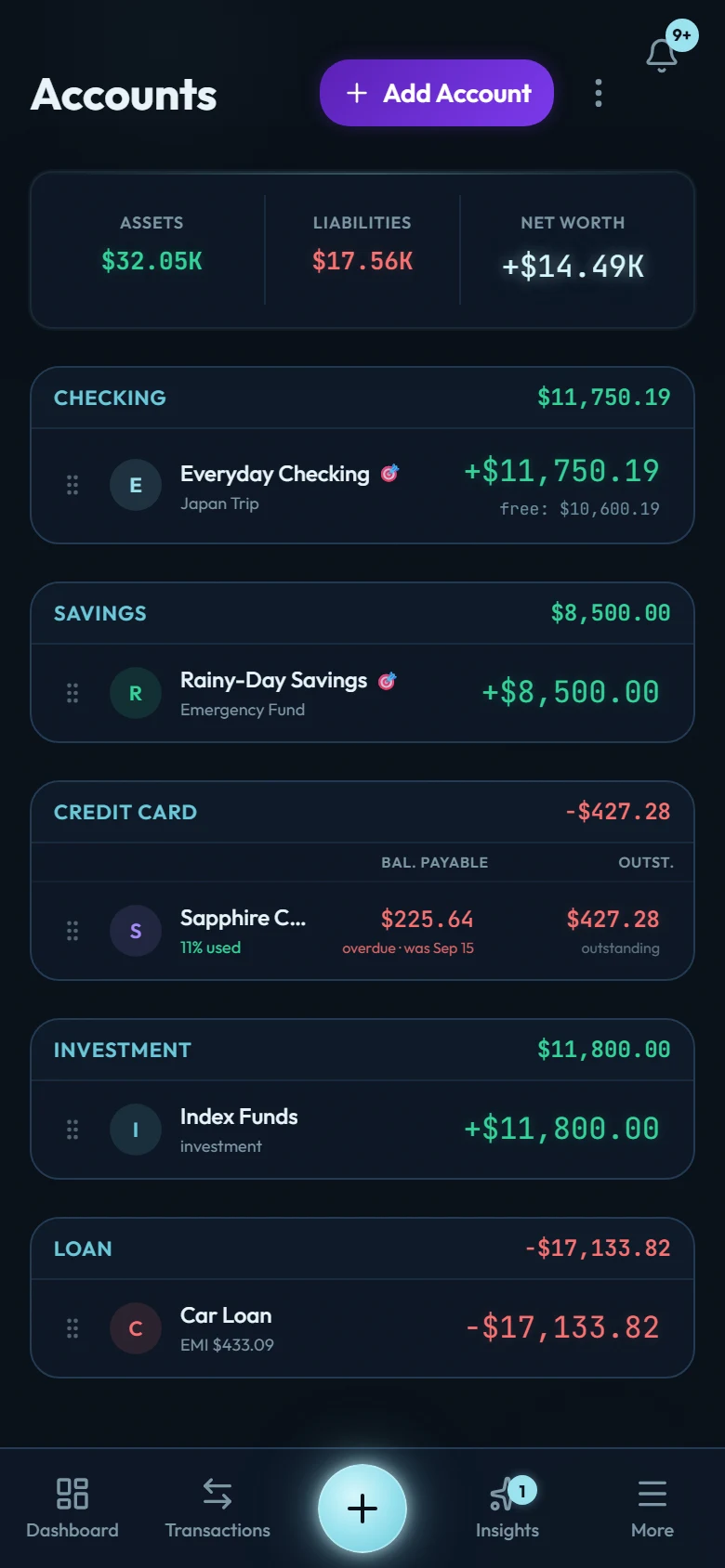
Checking, savings, cards, loans, investments, and units you define yourself — gold, a car, a plot of land, whatever you actually hold. Assets, liabilities and net worth sit across the top and update as you enter. Set your home currency once and everything converts to it, at rates you control.
Five account types on one screen, and the card is telling you it is overdue.
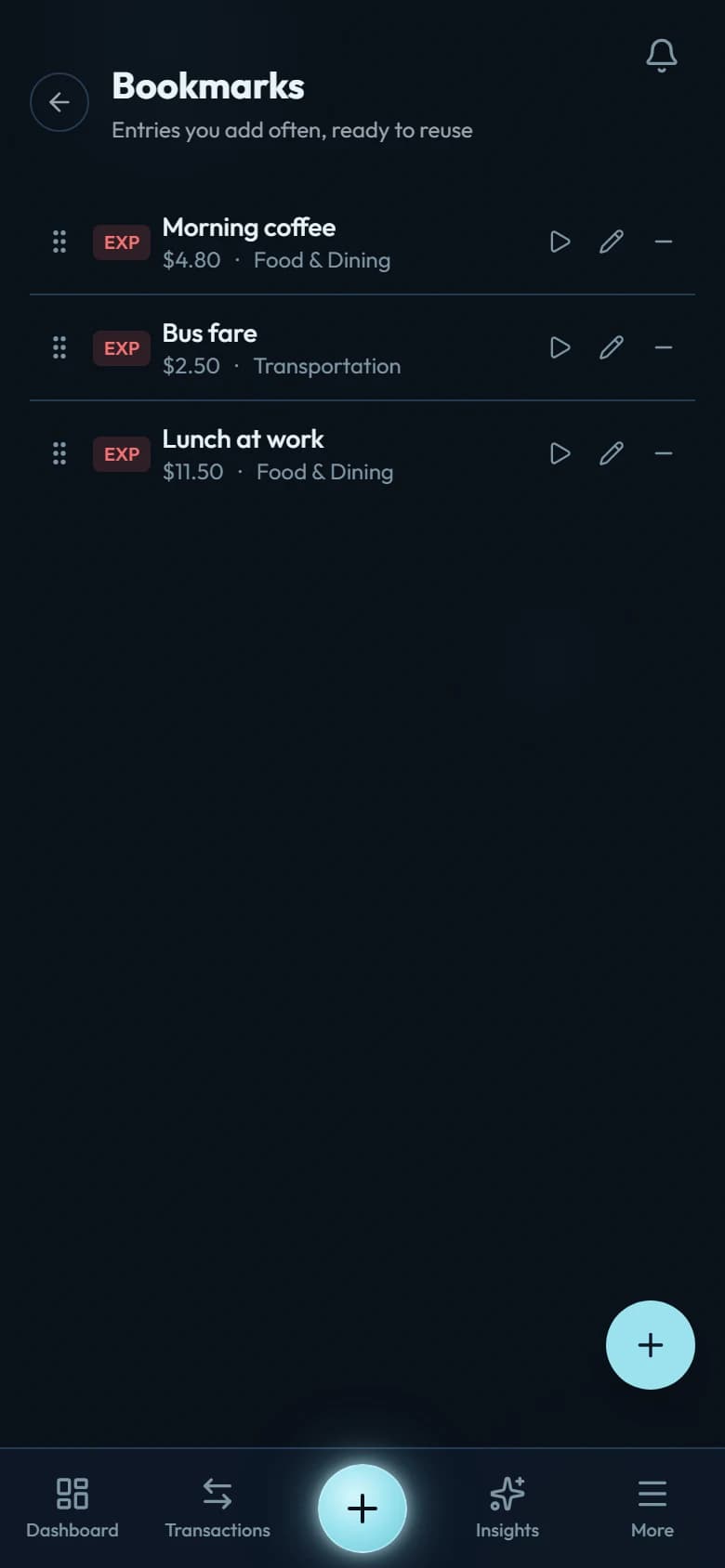
09 · The daily practice
The typing is the point. We made it fast.
Bookmarks keep the entries you make over and over, like morning coffee, bus fare or lunch at work. Two taps fill in the form; you check it and save. Recurring rules put rent and salary in for you, and there is a calculator inside the amount field. Typing a purchase in is what makes you notice it, and that is the whole reason there is no bank sync.
No bank connection, on purpose.
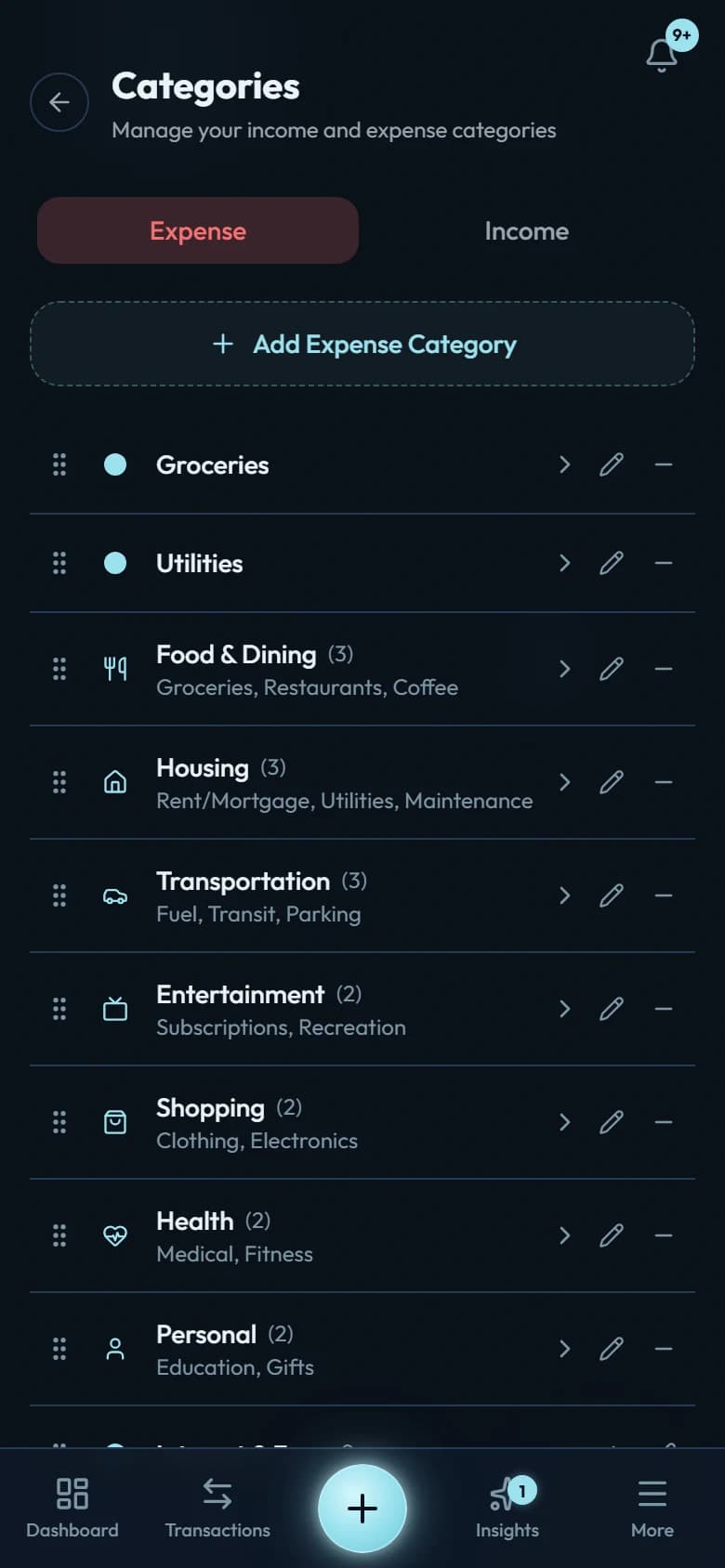
10 · Make it yours
Thirty-seven categories to start. Change any of them.
Rename, reorder by dragging, nest one level deep, or retire what you do not use. A category you promote keeps its history. Nothing you set up on day one locks you in, which matters because the way you think about your money in year two will not be the way you think about it now.
Two levels deep, enforced in the database, so the tree cannot get away from you.
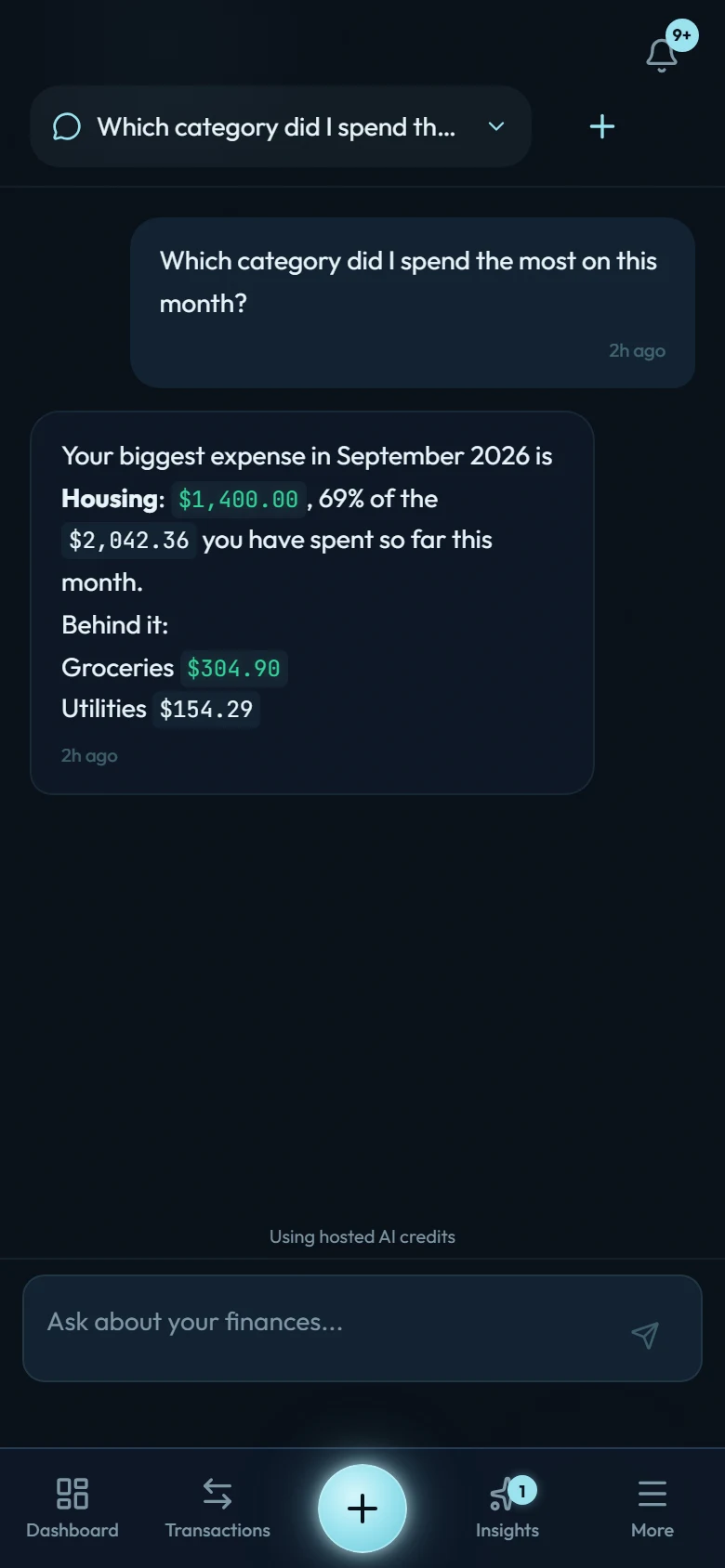
11 · Ask about your money
Ask a question, get an answer from your own rows.
The chat has tools that query your accounts, transactions, budgets and loans, so the answer is arithmetic on your ledger rather than a guess. Ask which category ate the most this month and it names the category, the amount, and what came second. Bring your own API key, encrypted and never logged, or use the credits that come with your purchase.
It can only tell you what your own entries already say.
Yours to keep
- Install it from the browser onto your home screen. No app store in between.
- Coming from YNAB, Monarch, Copilot or a spreadsheet? The migration workbook brings accounts, categories, balances and years of history across, every import has a full undo, and your data exports back out to CSV whenever you want.
Free Newsletter
Not ready yet? Get weekly financial tips.
Practical insights on spending, saving, and building wealth — sent every week. No spam, unsubscribe anytime.
Ready when you are
Pay once.
Keep it for life.
No subscription, no tiers, every core update included. Not sure yet? Seven days free, no card, every feature except AI chat (it switches on with purchase).
or try it free for 7 days · no card neededBuying after a trial is final; buying without one has a 7-day refund.
No card for the trial · Nothing charges automatically
Ready to start your mutation?