A goal is a target with a deadline, backed by a real account. Think of it as an envelope inside that account: you decide how much of the account's money is earmarked for this goal, so progress reflects money that actually exists, not a number you typed.
Creating a goal
Go to Goals and create one
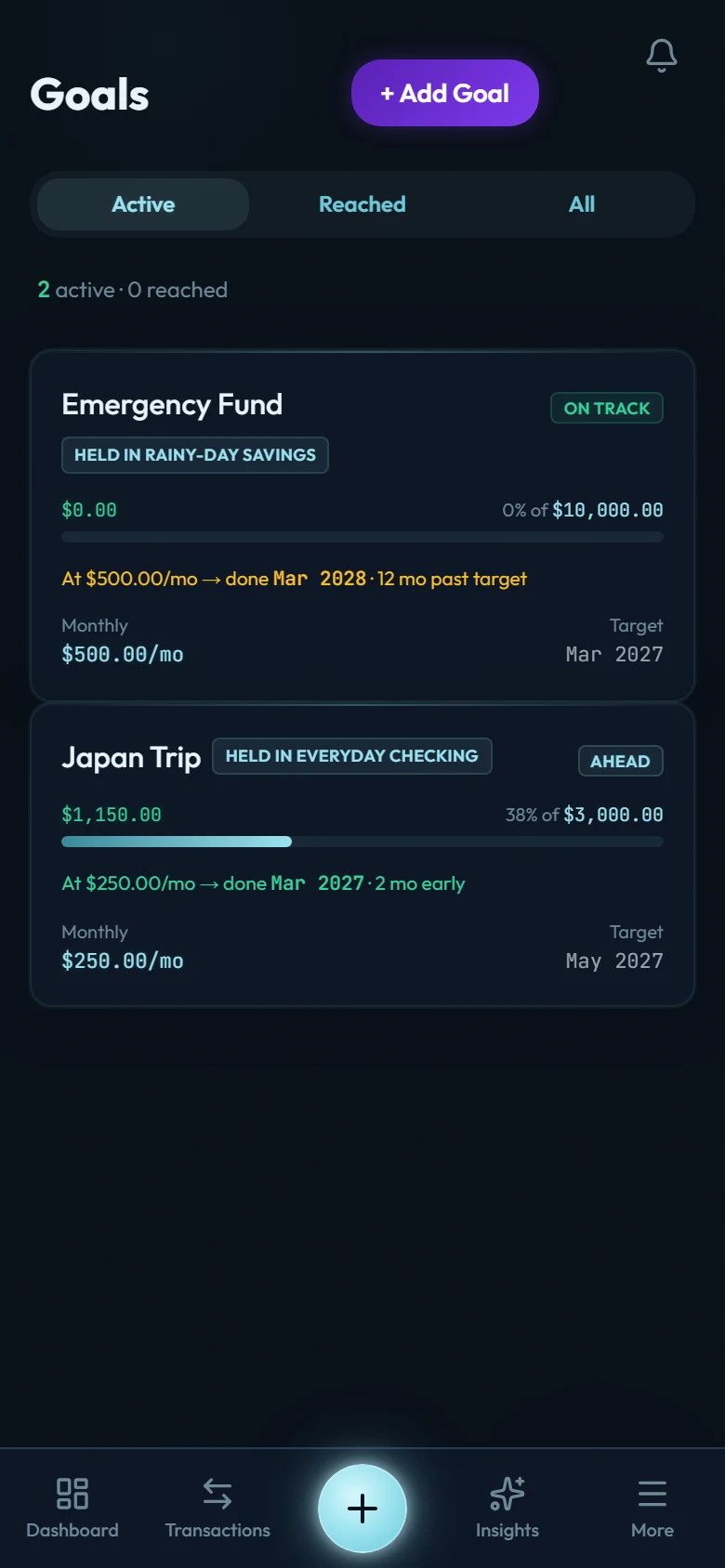
Name, target amount, and (optionally) a target date and a Monthly Contribution. With a monthly amount set, the goal's card shows when you will finish at that pace, in a line like "At 200/mo → done Mar 2027", and with a target date it also says how far early or late that is.
Back it with one account
A dedicated savings account works best. An account can back several manual goals, each an envelope inside it; only a mirror goal takes the whole account, so an account holds at most one of those.
Choose how the goal tracks
Manual (the default): you explicitly earmark money to the goal with the Allocate button, and progress is the sum of what you've allocated. Allocating is just a ledger label (no money moves), so one account can hold several purposes without you opening new accounts. Un-allocate any time until you mark the goal as done.
Mirror: the whole backing account balance is the goal's progress. Best when the account exists only for this goal.
Why account-backed matters
Apps that let you type a progress number turn goals into fiction. Wealth Mutant ties every goal to real money in a real account. Whether you earmark it (allocate) or mirror the whole balance, the progress bar can't run ahead of money you actually have. Honest numbers are kinder in the long run. They tell you when you're actually safe.
Goals and the bigger picture
- Your emergency fund goal maps directly onto the early Mutation Path levels: Level 2 asks for one month of cover, meaning the accounts you count as your emergency fund at or above your own average monthly spending, sized from your data rather than a generic figure. Cash, checking, wallet and savings accounts count from the start. The money does not have to sit in a separate account, and a first, provisional average appears after your first completed month with spending in it, settled once 3 are on record. See Understanding the Mutation Path.
- A long-term goal, one with a target date 10 or more years away, is what Level 8, Fund the Future, reads. It counts the money actually sitting in the goal's linked account, and it looks for three months of your average spending there. A typed-in number never counts toward it. If you mark the goal as done before you reach Level 8, it still counts the money in that account that no other goal there is using. Once you've reached Level 8, a long-term goal that counted for it keeps the level fulfilled after you mark the goal as done, even if you spend the money on what the goal was for.
- Goal money still counts in your net worth. It's yours; it just has a job.
Finishing a goal
When a goal reaches its target, its card offers Mark as done. Tap it when the goal has done its job. If the money leaves the account before you tap it, the card still offers it, because the goal got there. If what you're buying costs less than the target, lower the target to what you've set aside, mark the goal as done, then pay.
Bought a home with it? Record the payment as a transfer into a Real Estate account, not as an expense, so it doesn't lift your average spending for a year. And a home fund is not an emergency fund: if its account counts toward yours, switch that off.
A goal you mark as done moves to the Completed tab. Its card shows the target it reached and the month you marked it done, and the goal keeps its history. The money stays where it is, and the account is free for your other goals: a completed goal no longer holds any of it, and an account that backed a mirror goal can take a new one. From then on the goal stays as it was, so it can't be edited or allocated to until you reopen it. You can still delete it.
Adjusting
Targets, dates, and backing accounts can all be edited as life changes, until you mark the goal as done. Completing a goal keeps its history; deleting one never touches the money (accounts and transactions are untouched; only the goal wrapper goes).