Accounts are the containers your money lives in. Every balance in Wealth Mutant is computed, not typed: opening balance plus every transaction since. That's what makes the numbers trustworthy and auditable.
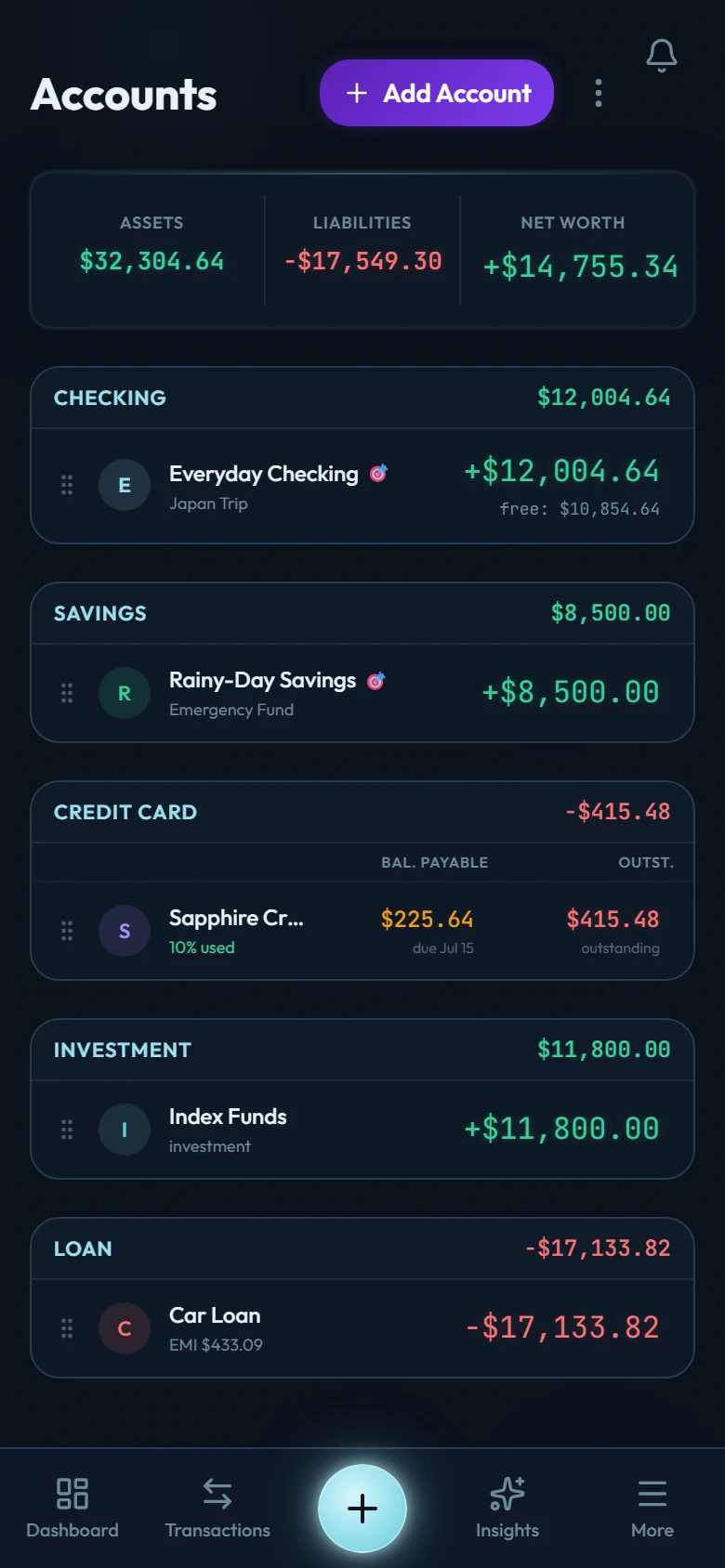
Creating an account
Go to Accounts and add one
The add button lives at the top of the Accounts screen.
Pick the type
Bank, cash, credit card, loan, investment, and more. Credit cards and loans carry extra settings (statement/due days, interest) covered in their own guides.
Enter the opening balance
What the account holds right now. Copy it straight from your banking app.
The opening balance is recorded as a special entry, dated today, that anchors all future math. It isn't income. It never appears in your spending or earning totals. (Migrating history from another app is different: the template workbook lets each account carry its true opening date, so your past months line up.)
Keeping a balance honest
Because balances are computed, they should match your bank to the last unit. When you want to check:
Open the account and choose Verify balance
The scales icon in the account header.
Type the number your bank shows
Straight from your banking app, decimals included.
Match, or fix
If it matches, you're done, to the exact decimal. If it doesn't, Wealth Mutant shows the difference and offers two fixes: Catch-up from a statement (find the missing entries) or a balance adjustment (it opens a new entry for the difference; save it and move on).
Closing an account
Closed a bank account or paid off a card? Close it in Wealth Mutant too, from Accounts → Close / Reopen accounts.
An account closes at zero. If money is still in it, you get two choices first: move the balance to another account, or write it off to a "Written off" category if the money is really gone. A card or loan closes once it is paid off; a debt is never written off here.
A closed account keeps its full history, so every report stays correct. It stops counting toward your net worth, disappears from pickers and daily views, and takes no new entries (its old entries are read-only until you reopen it). Any recurring rule that used it is paused, and any card that auto-debited from it has auto-debit switched off, each with a note in your notifications.
Reopen it any time from the same page. Nothing you paused switches itself back on; the app lists what stayed off so you can resume what you still want. If you wrote a balance off when closing, reopening offers to bring that money back in one step.