A loan is an account whose balance is what you still owe. The design principle: you record payments; on a scheduled loan the engine handles interest. You never have to compute an amortization schedule yourself.
Setting up a loan
Create an account with the loan type. The first field is What you still owe, and it means exactly that — not what you originally borrowed. The schedule, EMI and payoff date are all worked out from it. If you took a $400,000 home loan in 2018 and $260,000 is left, put $260,000. The date beside it is As of: the day that figure was true.
Then choose the style:
- Scheduled loan: you give the rate and the payment day, and the app works out the interest, the instalment and a payoff date. Automatic interest posting (below) and the prepayment simulator come with it.
- Manual loan: a balance you record against yourself. You enter the payments, the interest and any fees as they happen, and nothing is worked out for you. It is the right choice for a friend-and-family loan, a chit fund, or any product a schedule cannot describe.
You only need two of the three numbers
A scheduled loan is described by its rate, the months it has left, and the monthly payment. Give any two and the third is worked out for you.
That matters more than it sounds. Most people have the original contract in front of them, so they type the original term. But if you are 6 years into a 20-year loan, the months left are what everything depends on. Enter the payment your lender actually charges and leave the months blank, and the app derives them. Enter both and they disagree, and it says so, with a one-tap way to take the derived figure.
Two different things get called flat
A fixed rate is one that does not move for the life of the loan. You set it in Rate Type, and it sits next to Floating rate.
Flat-rate pricing is a different thing, and it lives in Repayment Type. The interest is charged on the amount you first borrowed, every month, for the whole term, so it does not shrink as you pay the loan down. Paying a flat-rate loan early shortens it; it does not buy back any of the interest. That is the trade the name hides, and it is why the two are never called the same thing here.
Because the interest comes off the original sum, a flat-rate loan asks for what you originally borrowed as well as what you still owe. Enter the same figure in both if the loan is new.
Loans where the balance reduces, which is most of them, need no such thing: the interest follows what you still owe, so paying early does save you interest.
If you know what your lender charges each month, type it into Monthly Payment. The form works both pricings out and tells you which one your figure belongs to, and what the other would have cost.
Interest posts itself (scheduled loans)
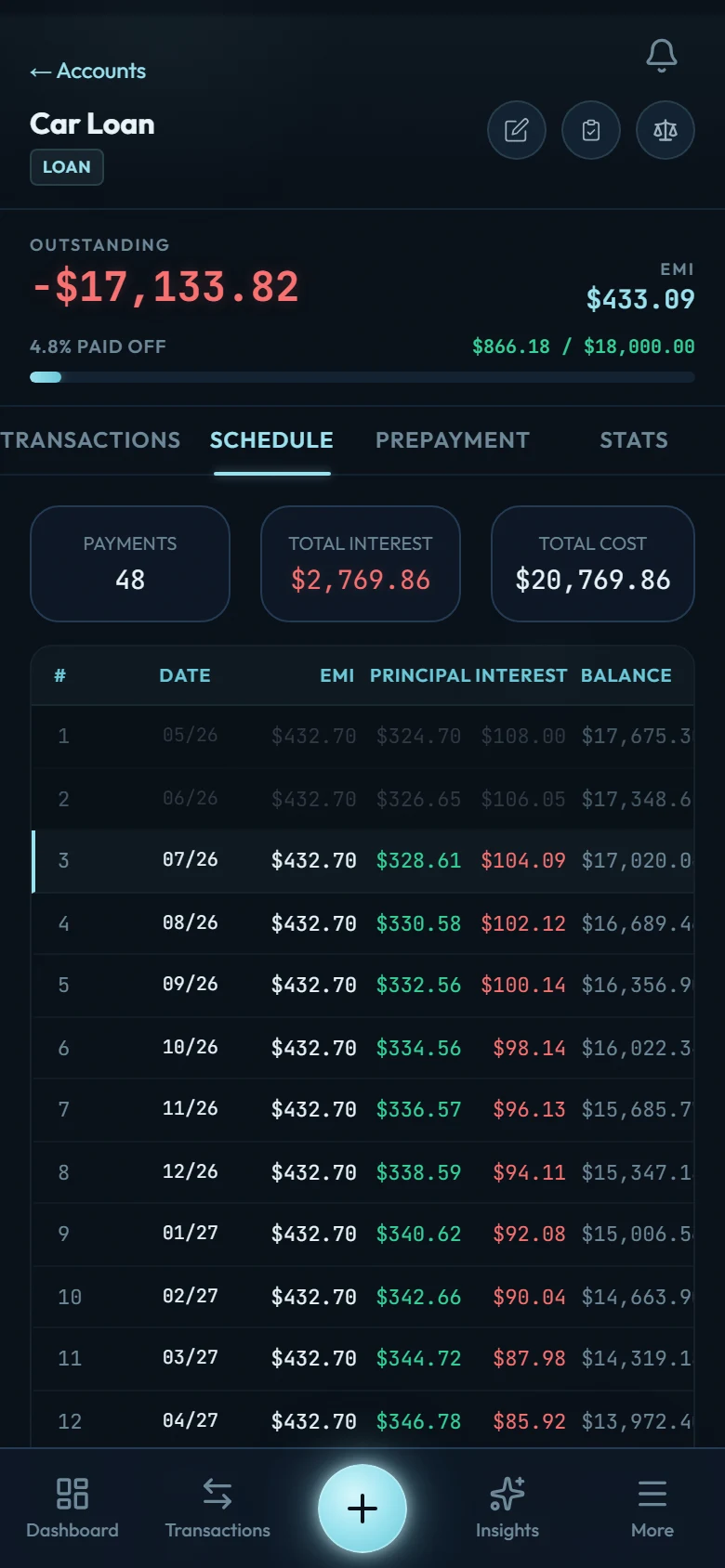
If your loan is a scheduled one with a rate and a payment day, Wealth Mutant posts each month's interest onto the loan automatically. You'll see it in the loan's history as an entry you can edit like any other, and the owed amount grows by exactly that much. (It's a per-loan setting you can toggle off.) A manual loan, or one created without a rate or payment day, never auto-posts interest; its balance only moves when you record payments.
Posting starts from the day you switch it on, never before. Turn it off for 4 months and back on, and those 4 months stay empty — we have no way of knowing what your lender charged while you were not tracking it, so we would rather leave the gap than invent it. For the same reason, a loan you imported and are only now giving a schedule starts with automatic interest off: your file almost certainly already contains those rows.
On the 1st of the month, a Smart Insight summarizes what interest cost you across all loans — the number banks prefer you not to look at.
Payments are just transfers
An EMI or any repayment is a transfer from your bank account to the loan. That's the whole model:
- what you owe = opening debt + posted interest − your transfers in
There's no separate "loan payment" form to learn, and partial or extra payments need no special handling. They're transfers too.
The prepayment simulator
Open the loan's detail page and ask the question your bank won't answer: what does one extra payment actually do? Slide the extra monthly amount and watch two numbers move: interest saved and how many months earlier the loan ends. The compounding works for you in reverse: small extras early are disproportionately powerful.
What a schedule cannot describe
Some loans do not fit any schedule, and pretending otherwise would put a confident wrong number on your screen. For all of these, use a manual loan: you record what happens, and nothing is worked out for you.
- Payments that are not monthly. Weekly, fortnightly and half-monthly repayment are common and the schedule here is monthly. A fortnightly mortgage really does finish years earlier than the monthly one it is quoted against, and that difference is yours to track by hand.
- A credit line you draw down. A home-equity line, an overdraft facility or a business line has a limit, a drawn amount and a rate on what is drawn. A loan here has one balance that only falls.
- Money released in stages. A construction or education loan often arrives in tranches, with interest charged on what has been released so far.
- A payment holiday your lender granted mid-loan. The form asks about a holiday at the start. One agreed three years in is a different shape.
- One payment that covers more than the loan. If your servicer collects property tax or insurance alongside it, enter only the loan part here and record the rest as its own spending.
- Personal contract purchase. The balloon at the end of a car agreement is a choice between paying it, refinancing it or handing the car back, and the app models only the first.
- Early-settlement charges and overpayment allowances. What your lender charges to close early, and how much you may overpay before it does, are in your agreement and in no figure on any screen here.
Reminders
If you set a payment day, Wealth Mutant reminds you before it. The reminder is honest about being a nudge, not a record. Nothing is recorded until you record it.