A transfer moves money between two of your accounts. It's neither income nor expense (your net worth doesn't change, only where the money sits), so transfers stay out of your spending totals and budgets by design.
Recording a transfer
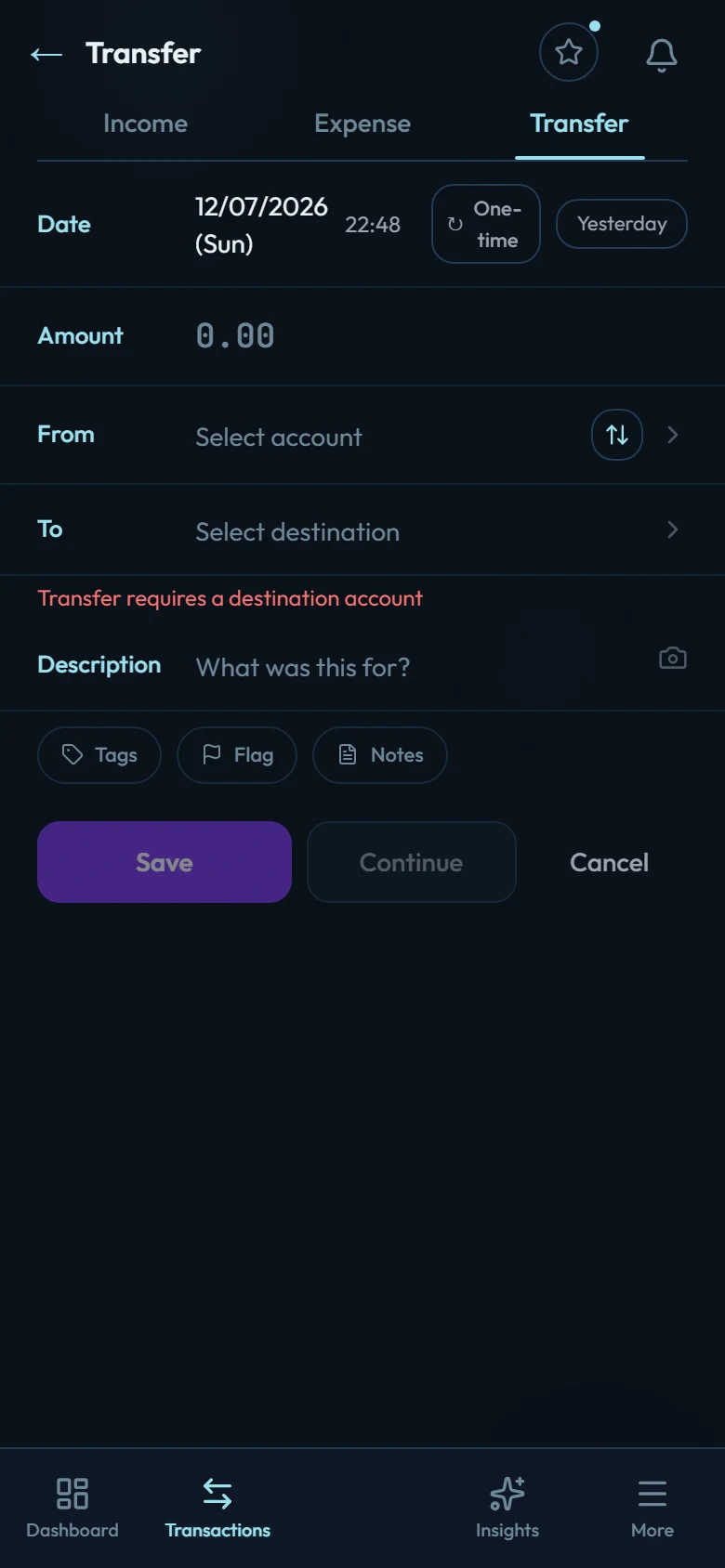
Choose the Transfer type
Tap + and switch the type toggle to Transfer.
Pick both accounts
Choose the from account and the to account.
Amount, date, save
Both account balances update at once, and the transfer appears in both accounts' histories as the same movement.
The two transfers that matter most
Paying a credit card bill is a transfer from your bank account to the card account. It reduces what you owe on the card; it is not an expense (the expenses were the purchases themselves). See How credit card accounts work.
A loan payment or EMI is a transfer from your bank account to the loan account. It reduces what you owe. Interest is handled separately: a scheduled loan posts its own interest, and on a manual loan you record it yourself. See How loan accounts work.
Things transfers deliberately can't do
- No category: transfers aren't spending, so they can't be categorized or split.
- Same-account transfers are rejected: a transfer needs two different accounts.