Categories are how your money gets its meaning: the difference between "spent 1,911 this month" and knowing where it went. Wealth Mutant seeds a sensible default set at signup and lets you shape it from there.
The default set, and making it yours
You start with the essentials: housing, groceries, dining, transport, utilities, entertainment, health, shopping and personal, plus Interest & Fees for what a card charges you. Add, rename, or reorganize in Settings → Manage Categories:
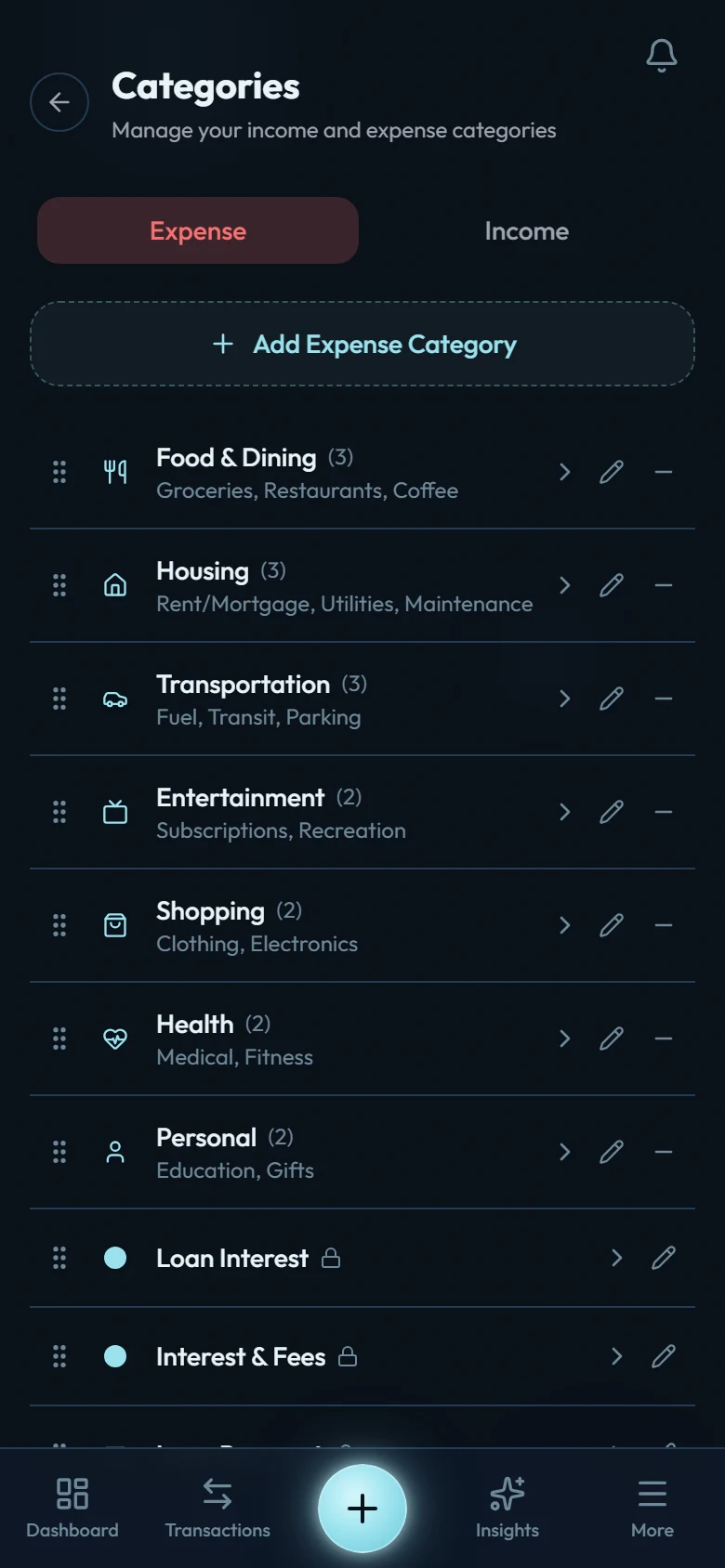
Add a custom category
Settings → Manage Categories → +. Pick the type (income or expense), a name, an icon and color.
Assign its bucket (expenses only)
Fixed for committed costs (rent, insurance), Flex for discretionary spending, Non-Monthly for the irregular-but-inevitable (repairs, gifts, annual fees).
Use it immediately
New categories appear in the transaction form, filters, budgets, and reports the moment they're saved.
Why buckets matter
Buckets are the machinery behind Flex budgeting: instead of tracking twenty category limits, Flex mode rolls your spending up into the three buckets and shows you one meaningful number: what's left in Flex. If a category is bucketed wrong (a subscription sitting in Flex, say), Flex mode will feel wrong; a one-time visit to Settings → Manage Categories fixes it.
Renames are safe
A category is a reference, not a label stamped on each transaction. Rename "Eating Out" to "Food & Fun" and every past transaction, budget, and report follows instantly. History is never lost by reorganizing.
Moving a category up or down a level
Trees rarely come out right first time. A subcategory grows into something you track on its own; a main category turns out to be a detail of another one. Both are one edit:
Open the category
Settings → Manage Categories, then the pencil on the row you want to move.
Change its parent
Pick None (top-level) to lift a subcategory up, or pick a category to tuck it under.
Read the summary, then confirm
The confirmation spells out exactly what will change before anything is saved.
Two rules keep this predictable. A category that already has subcategories can't become one itself — move or lift its children first. And a category with a budget on it stays put until you remove or reassign that budget, so no budget quietly changes meaning underneath you.
When you lift an expense category up a level, it keeps the bucket its old parent had, so its spending stays in the same Fixed / Flex / Non-Monthly pile unless you change it in that same confirmation. Tuck a category under a parent and it simply counts inside that parent's bucket instead. Either way the moved category lands at the end of its new list, ready to drag wherever you want it.