A recurring rule handles the predictable part of your money. You set it up once (amount, account, category and how often), and Wealth Mutant posts each entry on its date. You can skip a date, pause the rule, or give it an end date.
Setting up a repeat
From the transaction form
Fill in the transaction
Tap the + button and enter the first payment as usual: amount, account, category, date.
Tap the One-time chip
It sits on the Date row. A sheet called Repeat opens.
Choose how often
Pick one of the 7 repeats below. The chip now shows your choice, and a note under the date says when it first posts.
Save
The entry you saved is the first one, and the rule posts the rest.
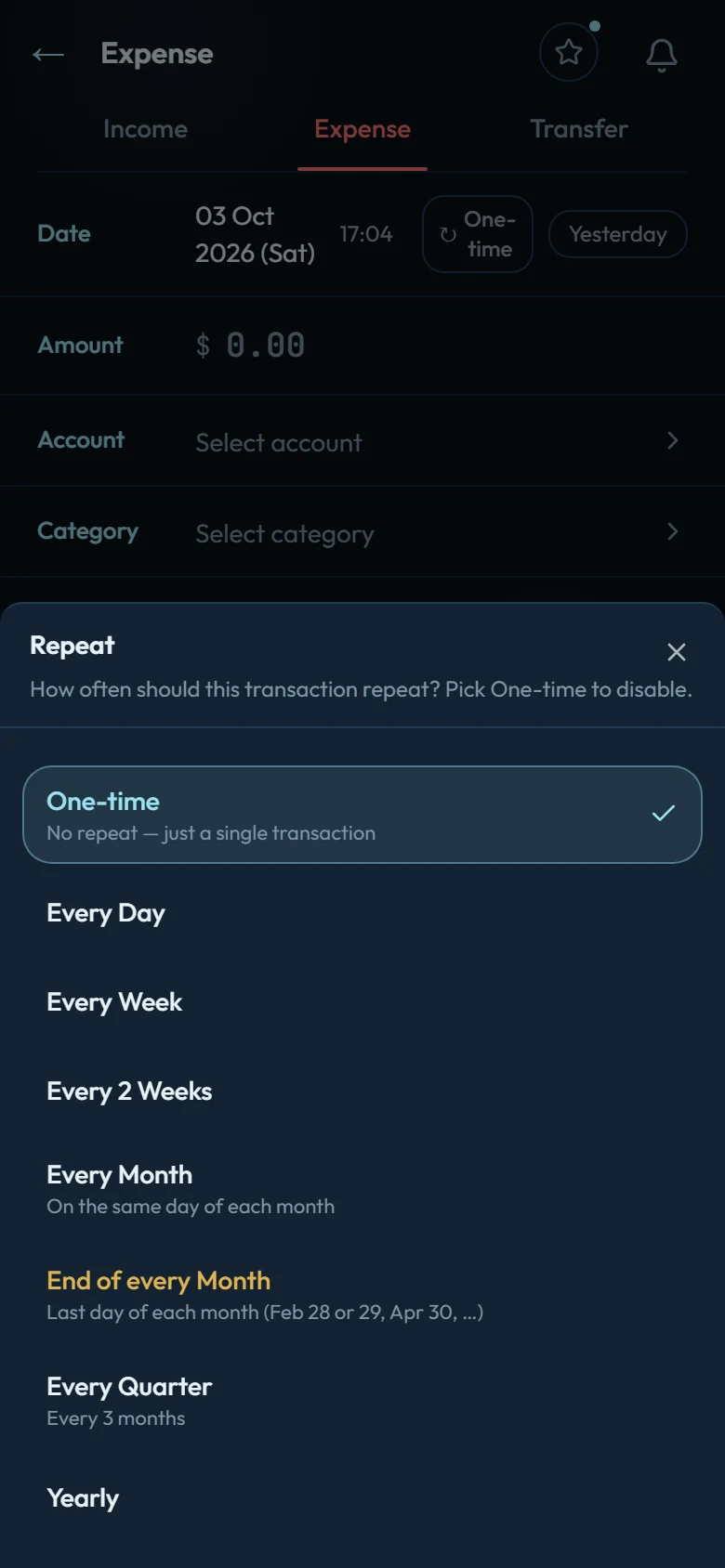
The sheet offers One-time (no repeat, the default) and these 7 repeats:
- Every Day
- Every Week
- Every 2 Weeks
- Every Month, on the same day of each month
- End of every Month, on the last day of each month (Feb 28 or 29, Apr 30, and so on)
- Every Quarter, every 3 months
- Yearly
Changed your mind before saving? Tap Make one-time in the note, or pick One-time in the sheet. The chip only appears while you're adding a transaction. To change a rule later, use Upcoming.
A few details about dates:
- A future date saves nothing yet. The rule waits and posts the first entry on that date, and the app confirms "Scheduled — first posts on" that date.
- A past date saves that entry now, and the rule carries on from its next date on or after today. Nothing is posted for the dates in between.
- Every Month on the 31st posts on the last day of shorter months, and goes back to the 31st whenever a month has one.
From Upcoming
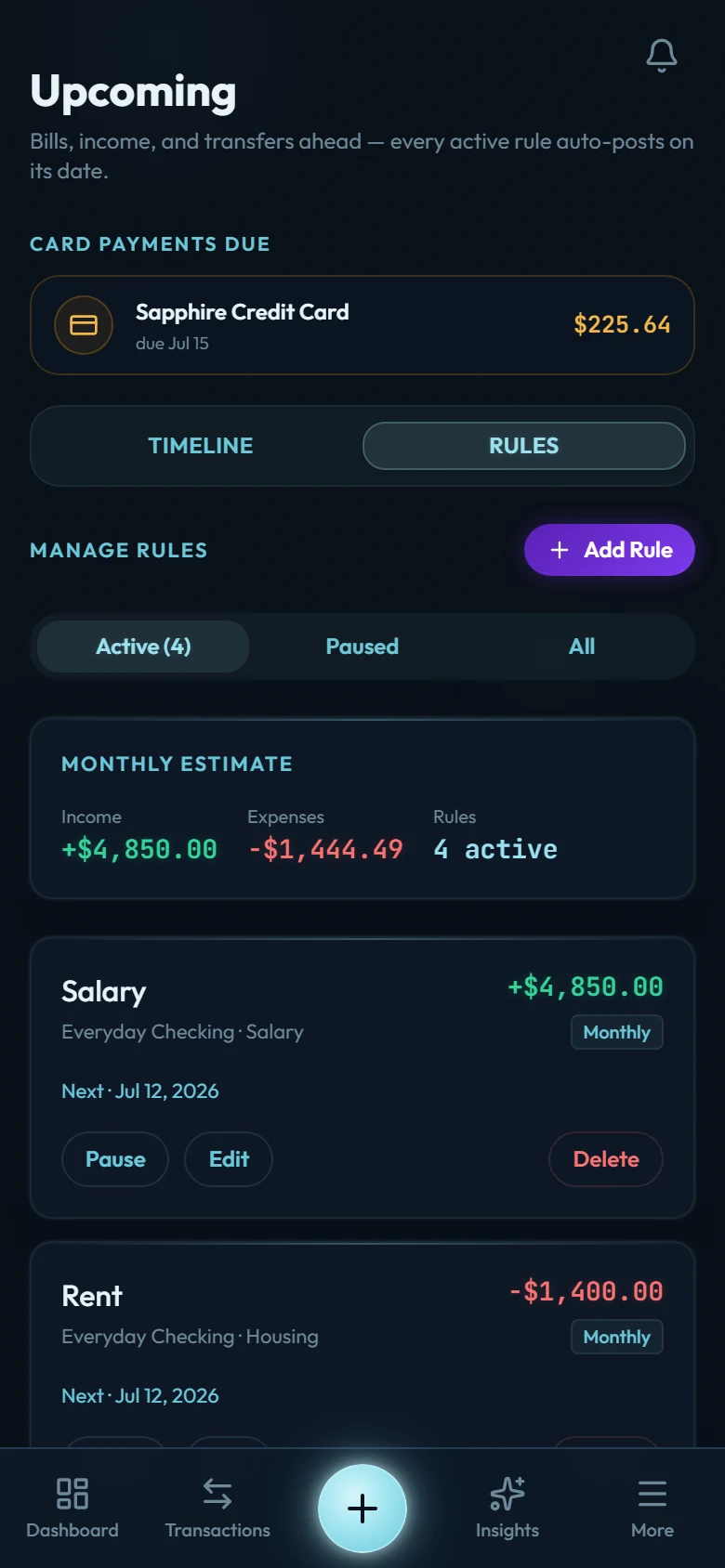
Go to More → Upcoming, open the Rules tab and tap Add Rule. This form asks for the Frequency (with a switch for the end of every month), a Next Occurrence date and, if you want one, an End Date.
What each posted entry carries
Each entry posts automatically on its date, or within a day of it. It takes the rule's name as its description, plus the rule's amount, account, category and notes.
Posted entries carry no tags and no flag, even if the first entry you saved had them. Add them by hand, or several at once with bulk edit.
In your list, entries a rule posted show a REC badge. Credit card auto-debit payments and automatic loan interest carry it too, since the app posts those on schedule as well. The entry you saved yourself when you set up the repeat has no badge.
Where to see what's coming
Upcoming (in More) has two tabs. Timeline lists the dates coming up across all your active rules. Rules lists the rules themselves, with a monthly estimate, and filters them by Active, Paused, Ended or All.
Skipping a date
On the Timeline tab, tap a date and choose Skip this one. That date won't post, and the next one will. If you tap a date further ahead, the button counts the dates it will skip ("Skip 3 occurrences", for example), because it skips every date up to and including that one. An Undo shows for 6 seconds after a skip.
Pausing and resuming
On the Rules tab, every rule has Pause, Edit and Delete.
- Pause stops the rule posting until you resume it. It moves under Paused.
- Resume starts it again from its next date after today. Nothing is posted for the time it was paused, and the app tells you the date of the next entry.
Ending a rule
Open the rule with Edit and set an End Date. The rule posts its last entry on or before that date, then moves under Ended, where its card reads "Ended · last date" and the date. The end date can't be earlier than the next date the rule will post. Clear it with No end date and the rule runs until you stop it.
Editing and deleting
- Edit changes the amount, how often, the accounts, the category, the next date or the end date. Changes apply to future entries. Entries already posted stay exactly as they were, and you can edit or delete them one by one.
- Delete removes the rule. Entries it already posted stay in your ledger.
- Deleting a single entry that belongs to a repeat (the first one you saved, or one the rule posted) asks too. Also pause the repeat is ticked by default, which pauses the rule. Untick it to keep the rule posting.
- A bulk delete pauses the rules of any repeat entries it removes.