Some entries repeat almost every day: the same coffee, the same bus fare, the same lunch spot. A bookmark keeps one of them so you don't type it again. In the transaction form, tap the star, then tap the bookmark, and the entry fills in with today's date. Check it and save.
Saving a bookmark
Fill in the entry
In the transaction form, enter at least the amount, plus anything you want the bookmark to keep: category, account, description, notes, tags, flag.
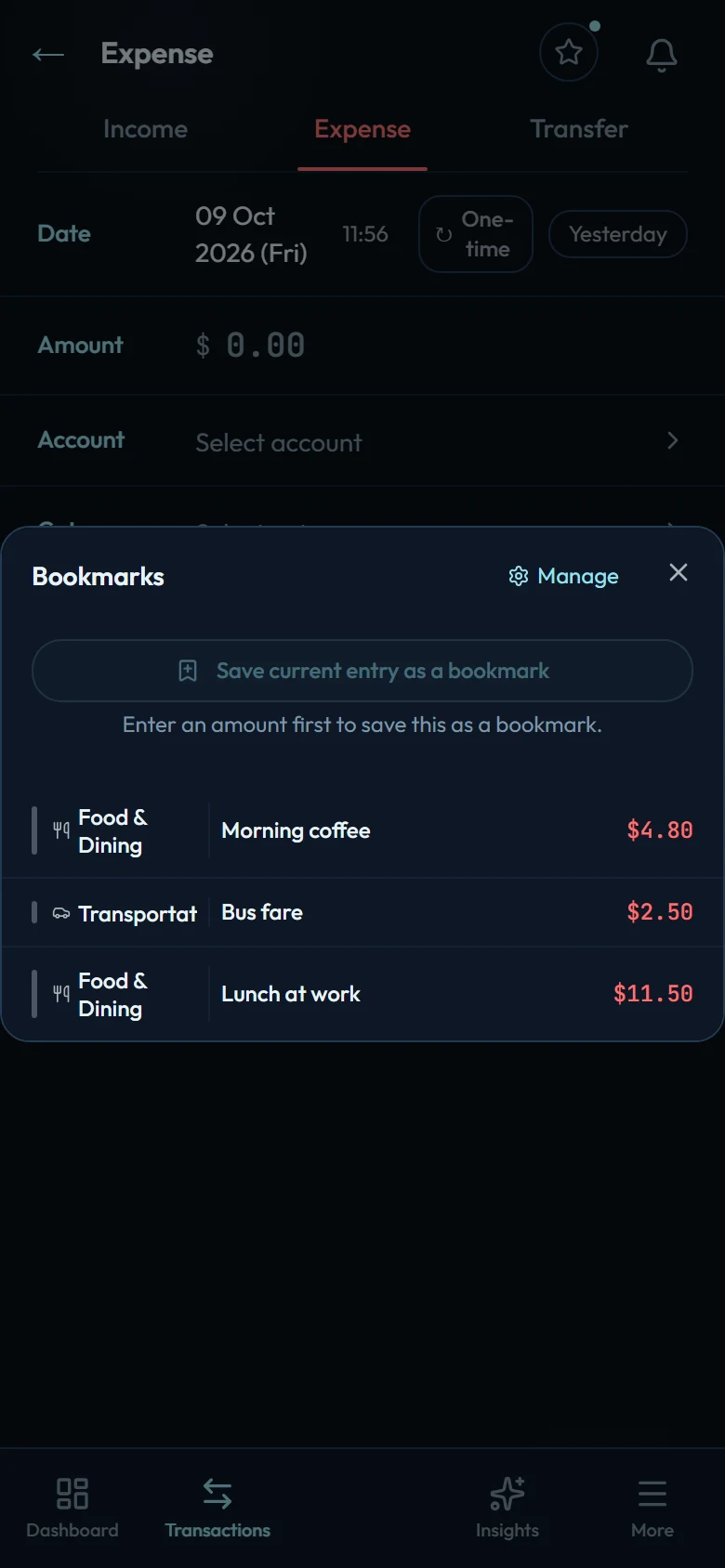
Tap the star
It sits at the top of the form, beside the title. The Bookmarks sheet opens.
Tap Save current entry as a bookmark
The bookmark takes the description as its name and keeps everything else, tags and flag included.
The save button stays greyed out until the form has an amount, with the note "Enter an amount first to save this as a bookmark."
You can also build one from scratch in Settings → Bookmarks: tap + and fill in a name, the type, an amount (optional, leave it blank for prices that change), the category, the account (and the receiving account for a transfer), a description and notes. Bookmarks made there have no tags or flag, and editing a bookmark there keeps any it already has.
Using a bookmark
In the transaction form, tap the star, then tap a bookmark. The form takes the bookmark's entry, dated today. If you had already typed something, the app tells you it replaced it. A note opens its field so you can see it. Change anything you need, such as today's amount, and save.
There are two other ways in:
- On the Transactions screen, the star at the top (it appears once you have a bookmark) opens the same list. Tap a bookmark and a new form opens, already filled in.
- In Settings → Bookmarks, the play button on a bookmark does the same.
Managing the list
Settings → Bookmarks lists your bookmarks in order. Drag a bookmark by its handle to move it; the star's list follows the same order, so put the daily ones first. The pencil edits a bookmark and the minus deletes it. New bookmarks join the end of the list.
Related
- Adding a transaction
- Recurring transactions: for entries that should post by themselves on a schedule. Bookmarks are for repeats you add yourself.