A ledger you can't search is a shoebox of receipts. Wealth Mutant gives you three layers of finding: quick keyword search, a full filter sheet, and flags for marking transactions you'll want back later.
Keyword search
Tap the magnifier on the Transactions screen and type. Search looks across descriptions, notes, and tags together: "dentist" finds the entry whether you put it in the description or buried it in a note.
The filter sheet
The sliders icon opens the full sheet:
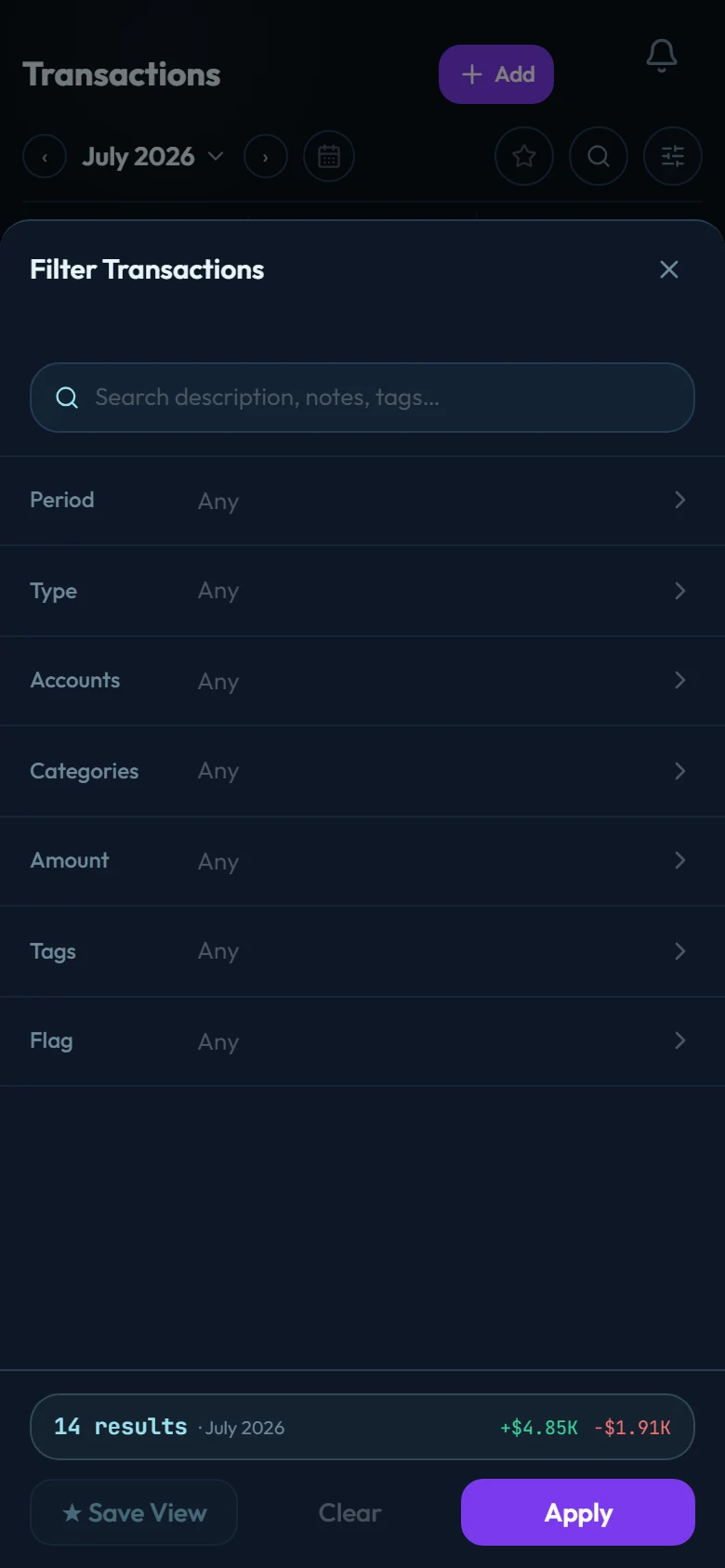
- Period: any date range, not just months.
- Type: expenses, income, or transfers.
- Accounts / Categories: one or several of each. Choosing a parent category includes everything filed under its subcategories.
- Amount: a min/max band ("everything over 100").
- Tags: your own labels, applied per transaction.
- Flag: the color markers (below).
Filters combine: "Dining expenses over 50 on the credit card this quarter" is one sheet, not a spreadsheet session. The footer shows the result count and income/expense totals for the current combination live, before you even apply it.
Flags
The 6 color flags (red, orange, yellow, green, blue, purple) mark transactions for your reasons: reimbursable, to review, tax-relevant, shared. Rename them to whatever they mean to you in Settings → Flag labels; the filter sheet then finds everything carrying a given flag in two taps.
Splits are found through their legs
Filtering by a category also finds transactions that touch it through a split leg. The supermarket run split between groceries and household shows up in both category filters. See Split transactions.