Budgets in Wealth Mutant come in two paradigms because people's brains come in two paradigms. Switch between them freely. Your data doesn't care which lens you look through.
Category budgets
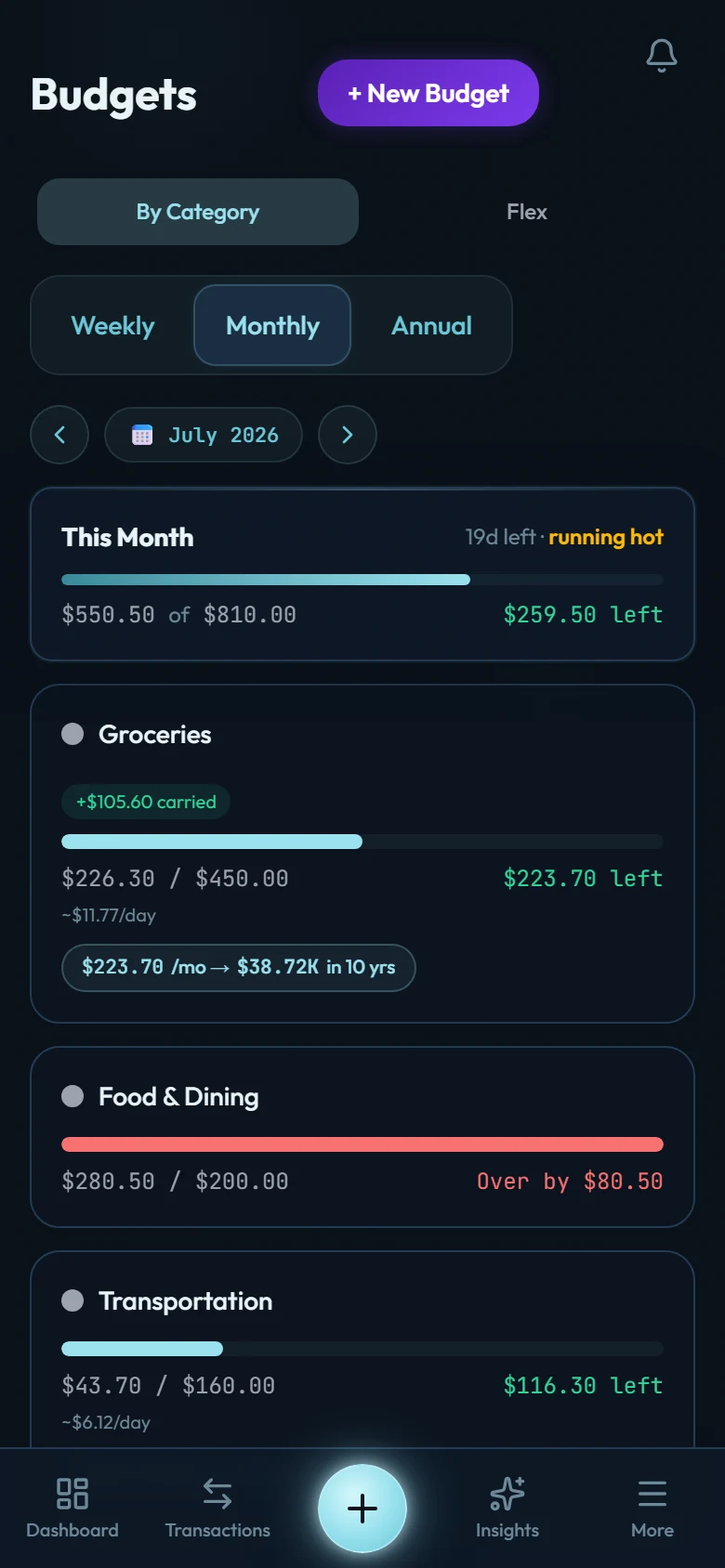
The classic: a monthly limit per category ("Groceries: 600"). Yearly budgets are also supported for annual costs like insurance. Those track against your year-to-date spend rather than the month.
Rollover is the option that makes category budgets humane: what you didn't spend this month carries into the next. Under-spend on dining in March, and April's dining budget quietly grows. It rewards restraint instead of resetting it.
Flex budgeting
If twenty category limits feel like homework, Flex mode reduces the month to three buckets:
- Fixed: the committed stuff (rent, utilities, insurance, subscriptions).
- Non-Monthly: the irregular-but-inevitable (repairs, gifts, annual fees).
- Flex: everything discretionary, managed as one number.
You watch one meaningful figure (what's left in Flex) instead of micromanaging categories.
Budgets track spending, so they look at expenses only. A loan repayment isn't spending. It's a transfer moving your own money to the loan, so an EMI doesn't land in any bucket. The loan's monthly interest is a real expense and does count. On a scheduled loan the app posts it for you; on a manual loan it lands when you record it. (See How loan accounts work.)
Alerts and the color language
Budget bars follow one color system everywhere: cyan while you're comfortably inside (up to ~85%), green as you approach the line, orange just over it, red when clearly past. You'll also get a push alert crossing 80% and 100%, early enough to steer.
Splits count correctly
If a supermarket run was split between groceries and household, each budget receives exactly its leg. Attribution follows the split, not the store.