
Kakeibo (pronounced kah-keh-boh) is the Japanese household account book. You plan the month, write down what you spend in a few categories, and ask yourself a few questions when it ends.
It is more than 100 years old, and the idea is plain: a purchase you write down is a purchase you look at. By the end of this guide you will have a page to print, 4 categories to fill it with and a way to keep it going on your phone.
Who invented kakeibo?
Kakeibo is usually traced to 1904 and a journalist named Hani Motoko, also written Motoko Hani. Fujin no Tomo-sha, the publishing company she founded with her husband, Hani Yoshikazu, dates the first edition of the household account book that carries her name to 1904, and it is still in print: the publisher sells a 2027 edition.
She had joined the newspaper Hochi Shimbun in 1897 and, in the company's words, became one of Japan's first women newspaper reporters. Some English-language sources call her the first.
In 1903 the couple started a magazine for young households, Katei no Tomo, which became Fujin no Tomo. The ledger followed a year later, built on her idea of "budget living" for the household economy, the company says.
The ledger the publisher sells today has you set a budget for each line of spending, such as food, utilities and clothing. The 4 questions and the 4 categories below are how English-language guides present the method.
How does the kakeibo method work?
Guides describe a kakeibo month in 3 steps: set the numbers, write each purchase down, then look back.
Start of the month: set the numbers
Write down your income and your fixed costs, such as rent, bills and loan payments. What is left is what you have to spend and save. Pick a savings goal and set that money aside before you spend any of the rest.
Through the month: write down every purchase
Note each one under its category, on the day you make it. Some guides add a total at the end of each week.
End of the month: add up and ask 4 questions
Total each category, see whether you reached your goal, and answer the questions below.
Chase UK, the bank, words the 4 questions in its kakeibo guide like this:
- How much money do I have?
- How much money would I like to save?
- How much money am I spending?
- How can I improve?
Chase's guide puts them all in the month-end review, once the totals are in, and your answers to the first 2 can carry straight into next month's plan. For question 4, aim for 1 change you can name, like cooking on Thursdays, rather than a promise to do better.
What are the 4 kakeibo categories?
Goodbudget, an app built on envelope budgeting, and Chase UK both sort every purchase into 1 of 4 categories, under different labels. Goodbudget calls them Survival, Optional, Culture and Extra, and Chase UK calls them General, Wants, Culture and Unexpected extras. The 4 ideas are the same.
| Category | What goes in | Examples the guides give |
|---|---|---|
| Survival | What you cannot live without | Rent, food, transport, children's costs |
| Optional | What you enjoy but could skip | Eating out, shopping, hobbies |
| Culture | Cultural activities | Books, music, shows, museum visits |
| Extra | Irregular costs | Gifts, repairs, furniture, emergencies |
When a purchase fits 2 columns, pick one and move on. Whichever you choose, choose it the same way every time, so the totals mean something.
Extra is where a month goes off its plan, because a repair or a gift was never in it. The ones you can see coming, such as a yearly fee or a birthday, can be set aside a little each month, which is what a sinking fund does.
Keep a kakeibo on your phone
Each purchase takes a few seconds to add with its category, and the month calendar shows every day's spending.
No card needed.
What does a kakeibo template look like?
Here is a kakeibo page for 1 month. The 4 questions go at the top, and below them sits a grid with a row for each week and a column for each category. Most months run into a 5th week, so add a row for it.

To print the page, open it on its own and print it from your browser. It prints on the dark background you see here, so write on it with a white or pale pen, or rule the same grid in any notebook.
Now the same grid, filled in for 1 month, with a total column added. Say you take home $2,800 and your fixed costs come to $1,500.
You decide to save $300 first, which leaves $1,000 to spend, about $250 a week. Swap the dollar sign for your own currency and nothing else changes.
| Week | Survival | Optional | Culture | Extra | Week total |
|---|---|---|---|---|---|
| 1 | 140 | 55 | 15 | 0 | 210 |
| 2 | 135 | 70 | 0 | 0 | 205 |
| 3 | 150 | 60 | 25 | 85 | 320 |
| 4 | 130 | 45 | 10 | 0 | 185 |
| Month | 555 | 230 | 50 | 85 | 920 |
Add across each row for the week and down each column for the category, and both end at 920. That is $80 under the $1,000 you had to spend.
Week 3 stands out: an $85 repair in Extra took it to $320. Question 3 now has a number, and question 4 has a place to start. Optional, at $230, is the column you could trim most easily.
The grid is easy. Keeping it going is the hard part, because the notebook is never in your pocket when you pay.
Wealth Mutant is the personal finance app we built for exactly this. Each purchase goes in as you make it, with its category, and the month builds up on a calendar you can read back day by day. You note each one yourself in a few seconds, a small daily habit in the spirit of kakeibo that makes you notice where the money goes, and no bank login is ever shared. You pay for it once.
Keep the daily habit wherever you pay
A personal finance app where each purchase takes seconds to note and every day shows on a calendar.
Buy — $99 onceHow do you keep a kakeibo day to day?
Paper and phone both work. On paper, keep the notebook where you will see it and write the day's purchases down each evening. On a phone, write each one as you pay.
In Wealth Mutant, tap the + button, fill in the amount, account and category, and save. Most entries take under 30 seconds.
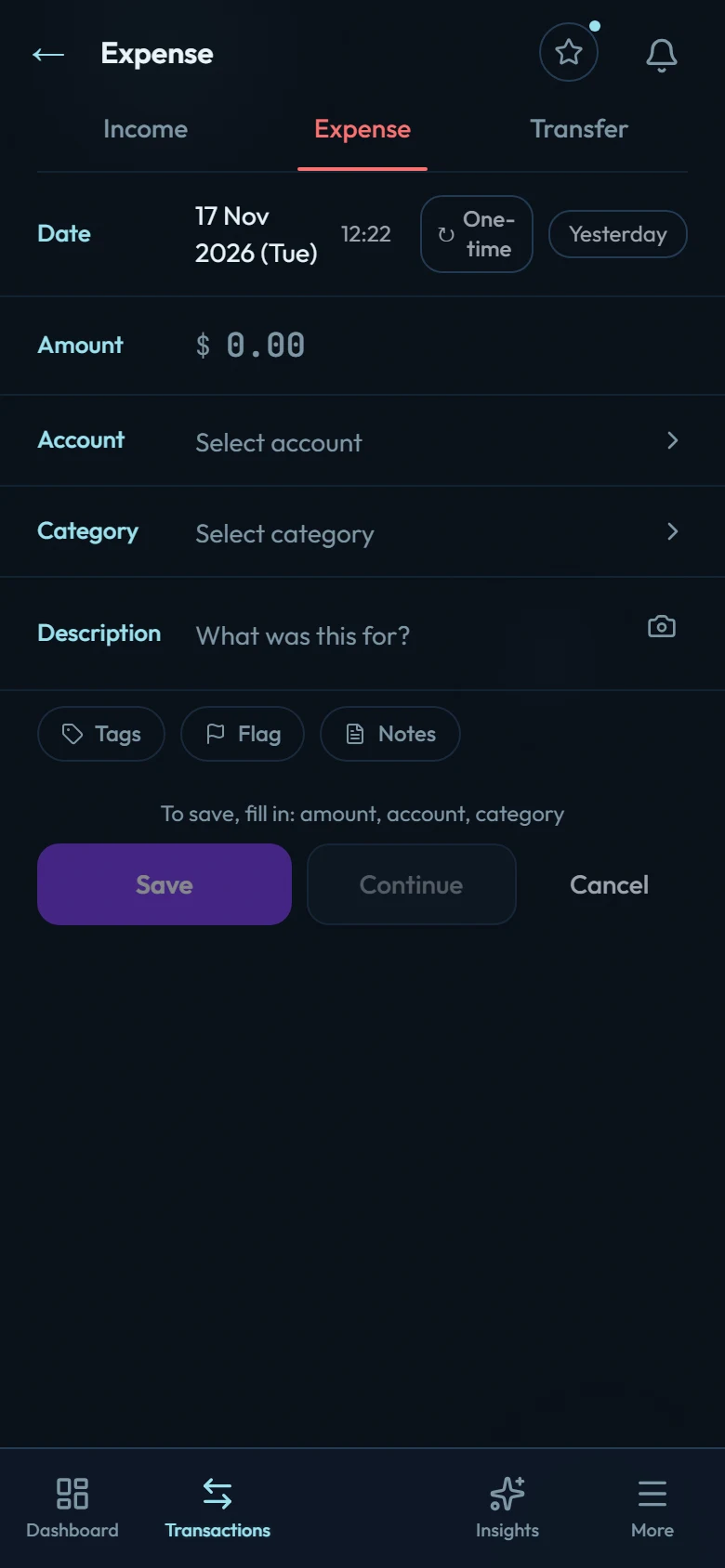
The amount field does sums: type 12.50+8.40 and it adds them. The date starts as today and can be set to any past day. A purchase you repeat can be saved as a bookmark: next time, tap the star, pick the bookmark, and the form is filled in for you.
Rent and other fixed costs can post themselves on their dates, so the fixed costs from step 1 are already in.
Your categories come next. Wealth Mutant starts you with categories such as housing, groceries, dining and transport, and you can add your own under Settings → Manage Categories, with a name, an icon and a color. Add a Culture category for books, music and shows.
Once a week, open the month calendar. Each row is a week, and you can read it across.
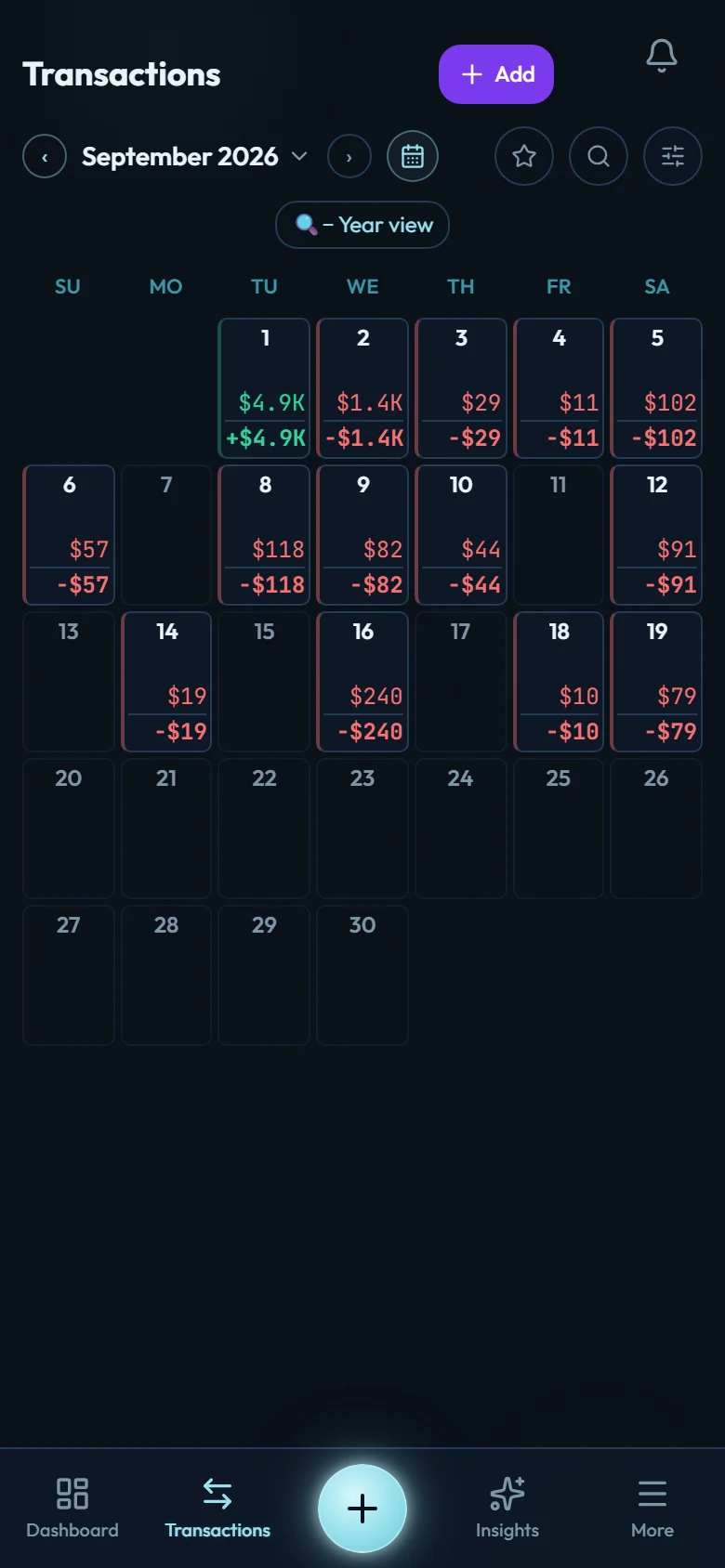
At the end of the month, the filter sheet does the adding. Set the period to the month, tick the categories that count as Survival, and the footer shows their total. Repeat for Optional, Culture and Extra, and you have the bottom row of the page.
What changes after a month of kakeibo?
You have a total for each week, a total for each of the 4 categories and a number you did not have to guess: what a normal week costs you. Question 4 stops being abstract, because you can see which column to change and by how much.
A week that runs over, like week 3 above, now shows its reason on the page. That turns it from something to feel bad about into something to plan for, and month 2 starts from these numbers instead of a guess.

Common questions
What does kakeibo mean?
It means household account book: 家計簿 in Japanese, and "household financial ledger" in Chase UK's translation. In English the word also names the method of keeping one.
Is kakeibo a budget?
Partly. You plan the month first, with your income, your fixed costs and a savings goal, so you know what is left to spend. What sets kakeibo apart is the written record of every purchase and the questions at the end of the month. If you want a hard limit on each category, envelope budgeting (a fixed amount set aside for each kind of spending) is built for it, and Wealth Mutant's budgets can run per category too.
Do I need a special kakeibo book?
No. A ready-made one, such as Fumiko Chiba's English-language "Kakeibo: The Japanese Art of Saving Money", prints the prompts and pages for you. An ordinary notebook ruled like the page above works too.
Is there a kakeibo app?
Yes. The publisher of the original ledger launched a cloud version, kakei+, in 2020, and its page is in Japanese. Goodbudget describes setting up the 4 categories as envelopes. In Wealth Mutant, a personal finance app you buy once, you note each purchase yourself in a few seconds, in the spirit of kakeibo, and you can add a Culture category of your own.
Your next step
Print the page or rule one in a notebook, and write down every purchase for 1 week. On the last day, add up the row and answer question 4 once.
In Wealth Mutant, add your first purchase: your first 5 saved transactions complete Level 1 of the 9-level Mutation Path, with no deadline. The tour shows how the screens fit together.
To go further, the 30-second habit keeps the daily noting quick, manual expense tracking answers the usual objections, and envelope budgeting adds a limit to each category. For the goal in question 2, try a savings challenge, or type what you can save each month into the savings goal calculator to see the month you reach it.